
Asset Management & Labelling
The Different Types of QR Codes for Industrial Labelling
Understanding static and dynamic QR codes helps businesses choose the right approach for asset tracking, cable identification, and equipment management in industrial environments.
In industrial environments, quick access to accurate information can make the difference between efficient operations and costly downtime. QR codes have become an essential tool for engineers, maintenance teams, and facility managers who need instant access to equipment data, compliance documentation, and maintenance histories. When combined with durable industrial labels, QR codes transform simple identification into a powerful information gateway.
This guide explores the different types of QR codes available for industrial labelling applications, helping you understand which approach best suits your cable management, asset tracking, and equipment identification needs.
1. The Basics
What Are QR Codes and How Do They Work?
A QR (Quick Response) code is a two-dimensional barcode that stores information in a pattern of black and white squares. Unlike traditional barcodes that can only hold limited data in a single horizontal line, QR codes store data both horizontally and vertically, allowing them to contain significantly more information in a smaller space.
When scanned using a smartphone camera or dedicated scanner, QR codes can instantly display text, open URLs, show contact information, or trigger other digital actions. This capability makes them particularly valuable in industrial settings where engineers need immediate access to technical documentation, maintenance logs, or safety protocols.
High Capacity
QR codes can store up to 7,089 numeric characters or 4,296 alphanumeric characters.
Error Correction
Built-in redundancy allows codes to remain readable even when partially damaged or obscured.
Fast Scanning
QR codes can be scanned from any angle, making them practical in tight industrial spaces.
In cable labelling and asset management, QR codes bridge the gap between physical equipment and digital information systems. A maintenance technician can scan a QR code on a piece of equipment and immediately access its service history, technical specifications, or even video tutorials for repair procedures.
2. Static Codes
Static QR Codes for Permanent Identification
Static QR codes contain fixed information that cannot be altered once the code is generated. The data is encoded directly into the pattern itself, meaning whatever information you include at creation remains unchanged for the lifetime of the label. This permanence makes static QR codes ideal for applications where the information should never need updating.
When to Use Static QR Codes
Static QR codes work best for information that remains constant throughout an asset's operational life. Examples include serial numbers, manufacturing dates, model specifications, or links to unchanging documentation such as installation manuals or compliance certificates.
Product Identification Labels
Embed product-specific details such as model numbers, certification references, and links to fixed technical documentation that will never need updating.
Safety and Compliance Labels
Provide instant access to safety data sheets, emergency procedures, or regulatory compliance documentation in hazardous environments.
Cable Identification
Link directly to circuit diagrams, routing information, or specification sheets for permanent cable installations.
Equipment Manuals
Direct technicians to PDF manuals, video guides, or manufacturer support pages without printing physical documentation.
Advantages of Static QR Codes
- No ongoing subscription or management fees required
- Works offline once scanned - no server dependency
- Simpler to generate and deploy at scale
- Content remains consistent and verifiable
The main limitation of static QR codes is their inflexibility. If the URL you embedded changes, or the documentation moves to a new location, you would need to reprint the labels entirely. For this reason, many organisations use static codes that point to stable, well-maintained documentation repositories.
3. Dynamic Codes
Dynamic QR Codes for Flexible Asset Tracking
Dynamic QR codes take a different approach. Instead of encoding the destination directly, they contain a short redirect URL that points to a server. This server then forwards scanners to the actual destination. Because the redirect can be changed at any time through a management platform, you can update where the QR code leads without reprinting the physical label.
This flexibility makes dynamic QR codes particularly valuable for asset management applications where information changes over the equipment's lifecycle. Maintenance records get updated, equipment moves between locations, and compliance documentation undergoes revisions. Dynamic codes accommodate all these changes seamlessly.
Industrial Applications for Dynamic QR Codes
-
1
Asset Tracking and Management
Track equipment location, status, and service history. Update information as assets move between sites or undergo maintenance without replacing labels.
-
2
Maintenance Scheduling
Link to real-time maintenance schedules and service records. Technicians scan to log completed work or check upcoming service requirements.
-
3
Compliance Documentation
When regulations change, update the linked documentation instantly. All existing labels automatically point to the current version of standards and procedures.
-
4
Inventory and Location Tracking
Monitor equipment movement across facilities. Integrate with warehouse management systems for real-time visibility of asset locations.
Considerations for Dynamic QR Codes
- Require a management platform or subscription service
- Depend on server availability for redirection
- Offer scan analytics and tracking capabilities
- Allow A/B testing of different destination content
For industries like telecoms, utilities, and power generation, where managing equipment location and status is critical, dynamic QR codes reduce administrative burden. Information can be updated centrally without dispatching teams to relabel equipment across multiple sites.
4. Making the Choice
How to Choose the Right QR Code Type
The decision between static and dynamic QR codes depends primarily on whether the information you are linking to will change over the asset's lifetime. Consider how the equipment will be used, how often documentation gets updated, and whether you need to track scan activity.
Choose Static QR Codes When:
- Information is permanent: Serial numbers, manufacturing data, and fixed specifications that never change.
- Offline access is required: Environments where internet connectivity is unreliable or unavailable.
- Simplicity is preferred: No ongoing management platform or subscription costs.
- Regulatory requirements: When compliance demands unchangeable, verifiable documentation links.
Choose Dynamic QR Codes When:
- Information changes regularly: Maintenance logs, service schedules, and evolving documentation.
- Tracking is valuable: You want to know how often assets are scanned and by whom.
- Multiple sites involved: Centralised management of information across distributed facilities.
- Integration is needed: Connecting QR codes to asset management or CMMS platforms.
Many organisations use a combination of both types. Static codes handle permanent identification while dynamic codes manage changeable operational information. The key is matching the code type to the nature of the information it represents.
5. Implementation
Printing QR Codes on Industrial Labels
For QR codes to be useful in industrial environments, they need to be printed on labels that can withstand the conditions they will face. A perfectly generated QR code becomes worthless if the label fades, peels, or becomes unreadable. Choosing the right combination of label material and printing method ensures your QR codes remain scannable throughout their required service life.
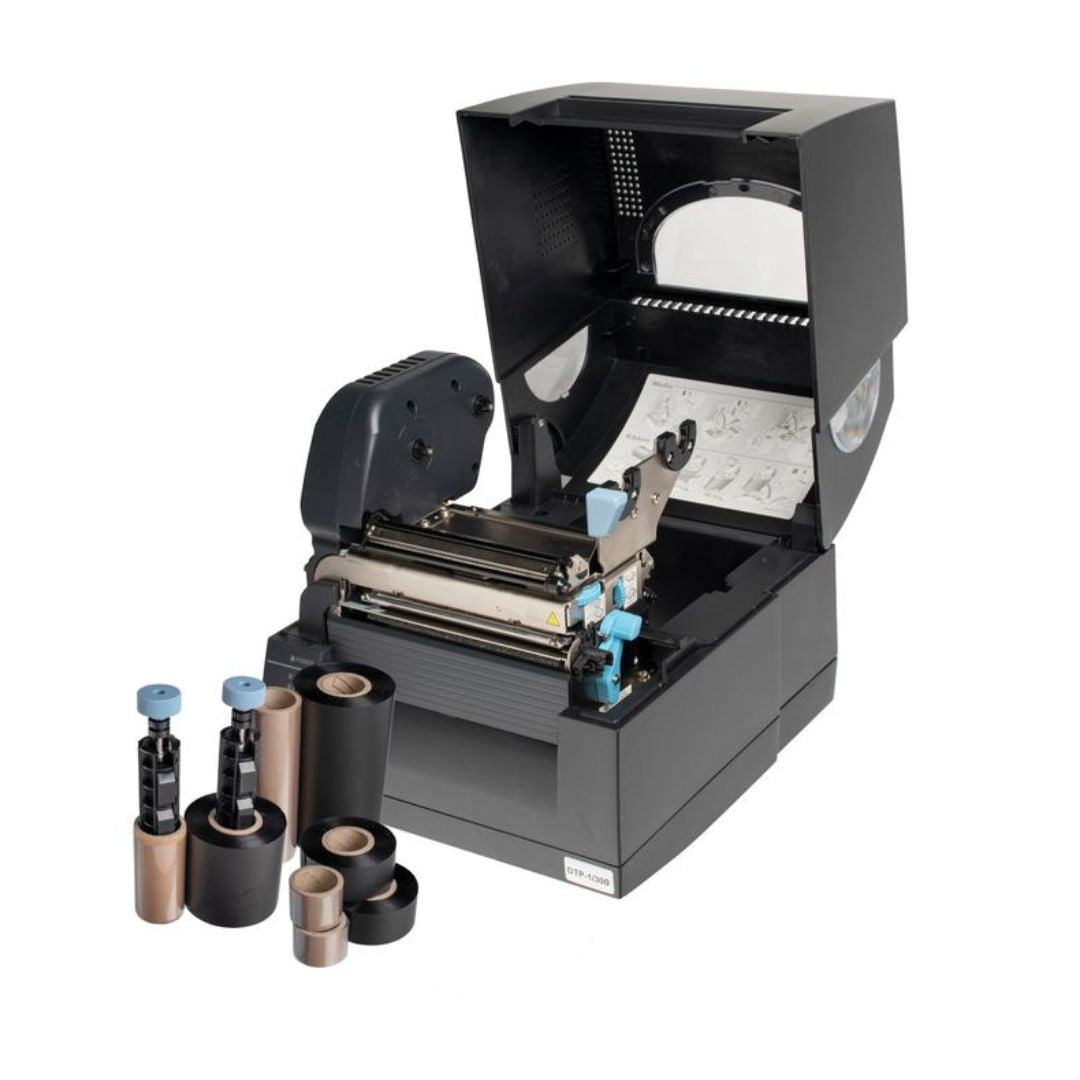
The Fox-in-a-Box® system with Labacus Innovator® Professional software enables engineers to design and print QR codes directly onto industrial-grade labels. The Professional level of the software includes barcode and QR code functionality, allowing you to incorporate scannable codes alongside text, graphics, and symbols on the same label.
Label Options for QR Code Applications
For asset tagging applications where QR codes need to remain scannable for years, Prolab® Low Profile Asset Labels provide a durable solution. Made from polyester with a strong acrylic adhesive, these labels have been tested to withstand 3,000 hours of accelerated UV exposure - equivalent to approximately five years in a Northern European climate.
For applications requiring a more prominent label, Prolab® Raised Profile Asset Labels offer a foam-carrier construction that creates a visible, tactile presence on equipment surfaces. Both label types support barcode and QR code printing when used with the Professional level of Labacus Innovator® software.
Best Practices for QR Code Labels
- Ensure adequate quiet zone (white space) around the QR code
- Test scannability before deploying labels at scale
- Choose label sizes that accommodate readable QR codes
- Consider environmental factors when selecting label materials
- Include human-readable text alongside QR codes for redundancy
6. Common Questions
Frequently Asked Questions
How do I add QR codes to cable labels?
To add QR codes to cable labels, you need labelling software that supports QR code generation. The Professional level of Silver Fox's Labacus Innovator® software includes this functionality, allowing you to generate and position QR codes on label designs before printing them on compatible thermal or laser labels.
What size should a QR code be to remain scannable?
As a general rule, QR codes should be at least 2cm x 2cm for reliable scanning with smartphone cameras. Smaller codes may work but require higher print resolution and closer scanning distances. For industrial environments where quick scanning is important, larger codes improve usability.
Can QR codes work without an internet connection?
Static QR codes that encode text or contact information directly work without internet access. However, QR codes that link to websites or online resources require connectivity to access the destination content. Dynamic QR codes always require internet access as they rely on server-based redirection.
How do I choose between barcodes and QR codes for asset labelling?
Traditional barcodes work well for simple sequential identification and integrate easily with existing warehouse systems. QR codes are preferable when you need to store more data, link to online resources, or require scanning from any angle. Many organisations use both - barcodes for inventory systems and QR codes for accessing detailed information.
Will QR codes on labels remain scannable over time?
The longevity of QR codes depends on both the label material and print quality. Industrial-grade labels like Prolab® Asset Labels maintain print quality for years under normal conditions. Key factors include UV resistance (for outdoor applications), chemical resistance (for industrial environments), and print resolution (higher resolution improves long-term scannability).
Next Steps
Ready to Add QR Codes to Your Labels?
Get Started with QR Code Labelling
Silver Fox's labelling solutions are trusted across industries from rail and oil and gas to telecoms and power generation. Our Fox-in-a-Box® Professional system includes everything you need to design and print QR codes on durable industrial labels, helping you streamline asset tracking and improve operational efficiency.
Contact our expert team at [email protected] or call +44 (0) 1707 37 37 27 to discuss your labelling requirements.