
Asset Management
What Is an Asset Tag? A Complete Guide to Asset Tagging
Learn how asset tags help organisations track equipment, reduce losses, and streamline maintenance across industrial, IT, and commercial environments.
Managing equipment across multiple sites, departments, or projects can quickly become complicated. Without a reliable identification system, assets go missing, maintenance schedules slip, and audits become time-consuming exercises in guesswork. Asset tagging solves these problems by giving every piece of equipment a unique, scannable identity that links directly to your records.
This guide explains what an asset tag is, why asset tagging matters for organisations of all sizes, and how to implement a system that works for your specific environment. Whether you manage IT equipment in an office, industrial machinery in a factory, or tools spread across construction sites, you will find practical advice on choosing materials, designing effective tags, and printing them efficiently.
1. Definition
What Is an Asset Tag?
An asset tag is a durable label attached to equipment that provides a unique identifier, typically in the form of a barcode, QR code, or serial number. When scanned, the tag links to a database record containing information about that specific item, such as its description, purchase date, location, maintenance history, and assigned user.
Asset tags are commonly used across industries including manufacturing, healthcare, education, IT, and facilities management. They can be applied to virtually any physical item that an organisation needs to track, from laptops and monitors to industrial machinery, vehicles, and safety equipment.
Fixed Assets
Equipment that remains in one location, such as machinery, control panels, servers, and office furniture. Tags help track depreciation, maintenance schedules, and compliance requirements.
Moveable Assets
Items that travel between sites or users, such as laptops, tools, and portable equipment. Tags enable real-time location tracking and accountability.
The physical tag itself is just one part of the system. Effective asset tagging combines durable labels with scanning technology (handheld readers or smartphone apps) and database software that stores and organises the information. When all three elements work together, you gain complete visibility over your equipment inventory.
2. Benefits
Why Asset Tagging Matters
Organisations that implement proper asset tagging systems typically see improvements in several key areas. Understanding these benefits helps justify the initial investment in labels, equipment, and processes.
Inventory Accuracy
Manual asset tracking relies on spreadsheets and visual checks, both of which are prone to human error. Scanning asset tags provides instant, accurate updates to your records. When every item has a unique identifier, counting inventory becomes faster and more reliable. Some organisations report inventory accuracy improvements from around 70% to over 95% after implementing asset tagging systems.
Loss Prevention
Visible asset tags deter casual theft by making it clear that items are tracked. For more valuable equipment, tamper-evident tags that leave a residue or fragment when removed provide an additional layer of security. Even if theft does occur, tagged assets are easier to identify and recover.
Maintenance Management
Linking asset tags to maintenance records helps organisations schedule servicing before equipment fails. When a technician scans a tag, they can immediately see the full service history, warranty status, and any outstanding work orders. This proactive approach extends equipment lifespan and reduces costly unplanned downtime.
Compliance and Auditing
Many industries require documented proof that equipment has been inspected, calibrated, or certified. Asset tags create an audit trail that links physical items to their compliance records. During audits, inspectors can scan tags to verify that required checks have been completed, significantly reducing the time spent on paperwork.
Key Benefits at a Glance
- Faster, more accurate inventory counts
- Reduced equipment losses and theft
- Proactive maintenance scheduling
- Simplified compliance and audit processes
- Better financial reporting and depreciation tracking
3. Tag Types
Types of Asset Tags
Different identification technologies suit different applications. The choice depends on factors including scanning distance, data capacity, environmental conditions, and budget. Most organisations use a combination of tag types across their asset portfolio.
Barcodes
Linear patterns of parallel lines. Cost-effective and widely compatible with existing scanners. Ideal for high-volume applications where assets are individually scanned at close range.
QR Codes
Two-dimensional codes storing more data than traditional barcodes. Scannable with smartphones, eliminating the need for dedicated equipment. Useful when detailed information is required on the tag itself.
RFID Tags
Radio frequency identification enables scanning without direct line of sight. Suitable for tracking assets through doorways or across large areas. Higher cost but enables batch scanning and real-time tracking.
For most industrial and commercial applications, barcode or QR code labels offer the best balance of cost, durability, and functionality. These can be printed on-demand using thermal transfer printers, giving organisations complete control over label design and production timing. As explained in our guide to understanding the differences between QR codes, barcodes, and data matrix codes, the Professional level of Labacus Innovator® software supports all these code types.
Material Considerations
The tag material matters as much as the identification technology. Labels exposed to harsh conditions need to withstand heat, chemicals, UV light, or abrasion. For industrial environments, materials like durable polyester with strong acrylic adhesive ensure tags remain legible throughout the asset's lifespan.
4. Implementation
How to Implement Asset Tagging
A successful asset tagging system requires planning before you print a single label. Following a structured approach ensures your system scales effectively and delivers long-term value.
-
1
Audit Existing Assets
Create a complete inventory of equipment requiring tags. Categorise items by type, location, value, and department. This baseline helps you understand the scope of your tagging project and identify any existing gaps in your records.
-
2
Define Your Numbering System
Develop a consistent identifier format that accommodates future growth. Consider including codes for location, asset type, or department. Keep the format short enough to fit on labels while providing enough information for quick visual identification.
-
3
Select Appropriate Materials
Match tag materials to environmental conditions. Indoor office equipment may only need standard polyester labels, while outdoor or industrial assets require UV-stable, chemical-resistant materials. Consider whether you need tamper-evident features for high-value items.
-
4
Choose Your Printing Solution
Decide whether to outsource label production or print in-house. On-demand printing gives you flexibility to create tags as needed, reduce waste, and respond quickly to new acquisitions. Thermal transfer printers produce durable, professional-quality labels.
-
5
Establish Placement Standards
Standardise where tags are applied to each asset type. Consistent placement makes scanning faster and ensures tags remain visible after installation. Avoid placing labels underneath equipment or in areas subject to heavy wear.
Once your system is running, schedule regular audits to verify that tagged assets match your records. Inspect tags for damage or fading and replace any that have become difficult to read. Consistent maintenance keeps your asset tracking accurate over time.
5. Printing Solutions
Printing Your Own Asset Tags
Printing asset tags in-house offers significant advantages over ordering pre-printed labels. You can produce tags on-demand as new equipment arrives, update designs without minimum order quantities, and maintain complete control over your numbering system.
Two main approaches exist for in-house asset label printing. Laser-printable labels come on A4 sheets and work with standard office printers, making them accessible for organisations without specialist equipment. For higher volumes or more demanding environments, thermal transfer printers produce exceptionally durable labels at speeds that support large-scale tagging projects.
Laser-Printable Asset Labels
Prolab® Equipment Labels are supplied on pre-cut A4 sheets that work with any standard office laser printer. Made from durable polyester with a strong acrylic adhesive, these labels have been independently tested to withstand temperatures up to 85°C for 1,000 hours and 3,000 hours of accelerated UV ageing. Using Labacus Innovator® software, you can design labels incorporating barcodes, QR codes, and custom text, then print hundreds of labels in the time it takes a sheet to pass through your printer.
Thermal Printed Asset Labels
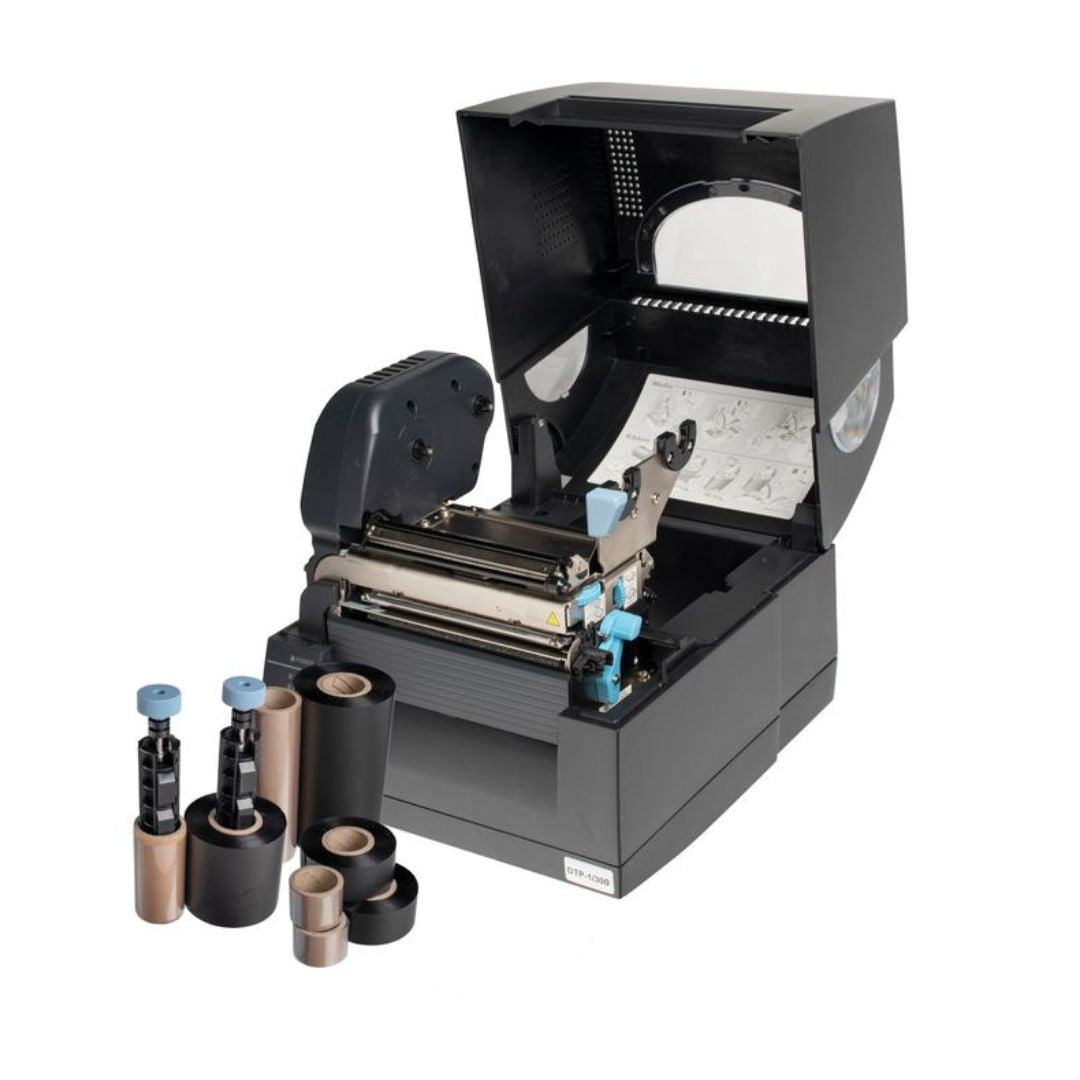
For organisations that need to print asset tags frequently or require even greater durability, the Fox-in-a-Box® thermal transfer printer offers a complete solution. This system prints onto Prolab® Low Profile Asset Labels made from metalized polyester, or Prolab® Raised Profile Asset Labels which provide a durable alternative to engraved labels with a thick, domed finish for enhanced visibility.
The Fox-in-a-Box® system uses one software, one printer, and one ribbon to produce your entire range of labels, from asset tags to cable markers. This simplifies training, reduces consumable stock, and ensures consistency across all your identification labels. The included Labacus Innovator® software makes it straightforward to design labels with barcodes, QR codes, sequential numbering, and imported data from spreadsheets.
6. Best Practices
Asset Tagging Best Practices
Following established best practices helps ensure your asset tagging system delivers reliable results over the long term. These guidelines apply regardless of the specific tag types or software you use.
Asset Tagging Checklist
- Use consistent identifier formats across all asset types
- Place tags in visible, accessible locations
- Match tag materials to environmental conditions
- Include organisation name and contact details on tags
- Schedule regular audits to verify tag condition and accuracy
- Document your tagging standards for new team members
- Keep backup records in case of database issues
- Replace damaged or faded tags promptly
Tag Placement Guidelines
Apply tags to clean, dry surfaces at room temperature. Avoid areas that flex, are touched frequently, or experience extreme wear. For moveable assets, place tags on the back or side rather than underneath, making them accessible for scanning without moving the equipment. Allow 24-48 hours for adhesive to fully cure before exposing tags to harsh conditions.
Information to Include
At minimum, asset tags should display a unique identifier and your organisation name. Depending on available space and your requirements, you might also include asset type codes, purchase dates, department identifiers, or contact information for reporting found items. The scannable code (barcode or QR) links to your full database record, so the printed information serves primarily for quick visual reference.
For guidance on maintaining consistency across your labelling systems, including both asset tags and cable identification, see our article on cable labelling best practices for professionals.
7. FAQ
Frequently Asked Questions
How do asset tags work?
Asset tags work by assigning a unique identifier to each piece of equipment. When the tag is scanned using a barcode reader, smartphone app, or RFID reader, it retrieves the corresponding record from your asset management database. This record contains detailed information about the item, including its description, location, purchase date, maintenance history, and current assignment.
How to asset tag equipment?
Start by auditing your existing equipment and creating database records for each item. Design your tag format to include a unique identifier, organisation name, and scannable code. Print tags using appropriate materials for your environment. Clean the surface, apply the tag in a consistent location, and scan it to link the physical tag to your database record. For large-scale projects, thermal transfer printers like Fox-in-a-Box® significantly speed up the process.
What is an asset tag on a laptop?
A laptop asset tag is a label attached to the device that identifies it as company property and links it to your IT asset management system. The tag typically includes a barcode or QR code, a unique asset number, and your organisation name. When scanned, it provides information about the laptop's specifications, purchase date, warranty status, assigned user, and software licences. This helps IT departments track devices, manage refreshes, and investigate missing equipment.
How to label assets effectively?
Effective asset labelling requires consistency, durability, and integration with your management systems. Use standardised identifier formats and placement locations across all asset types. Select materials that will survive the conditions your equipment faces. Ensure tags include both human-readable information and scannable codes. Train staff on scanning procedures and establish regular audit schedules to maintain accuracy over time.
Next Steps
Ready to Implement Asset Tagging?
Get Expert Advice on Your Asset Tagging Project
Whether you need to tag a handful of laptops or thousands of industrial assets across multiple sites, Silver Fox® can help you find the right solution. Our team can advise on materials, printing equipment, and software to match your specific requirements.
Contact our expert team at [email protected] or call +44 (0) 1707 37 37 27.