
Patch Panel Labelling
How to Label Patch Panels with Prolab® Patch Panel Module
A practical guide to patch panel labelling. Measure the panel, build the template, name the ports to ANSI/TIA-606-D, and pull the data straight from your cable tester.
Patch panels are the nerve centre of a structured cabling system. Every connection passes through them. Every fault-finding session starts by tracing cables back to a labelled port. Yet patch panel labelling is still one of the slowest and most error-prone jobs on a network build.
The problem is variety. Panels come in copper or fibre, 12-port or 48-port. Port spacing and label window size change from one maker to the next. Finding one labelling method that copes with all of it, and is quick enough for a live job, has usually meant a compromise.
There is a second problem behind the physical one. A label only earns its keep if the name printed on it follows a scheme other people can read and keep up. That is the job of ANSI/TIA-606-D. The standard sets out how cabling infrastructure is named, recorded, and documented.
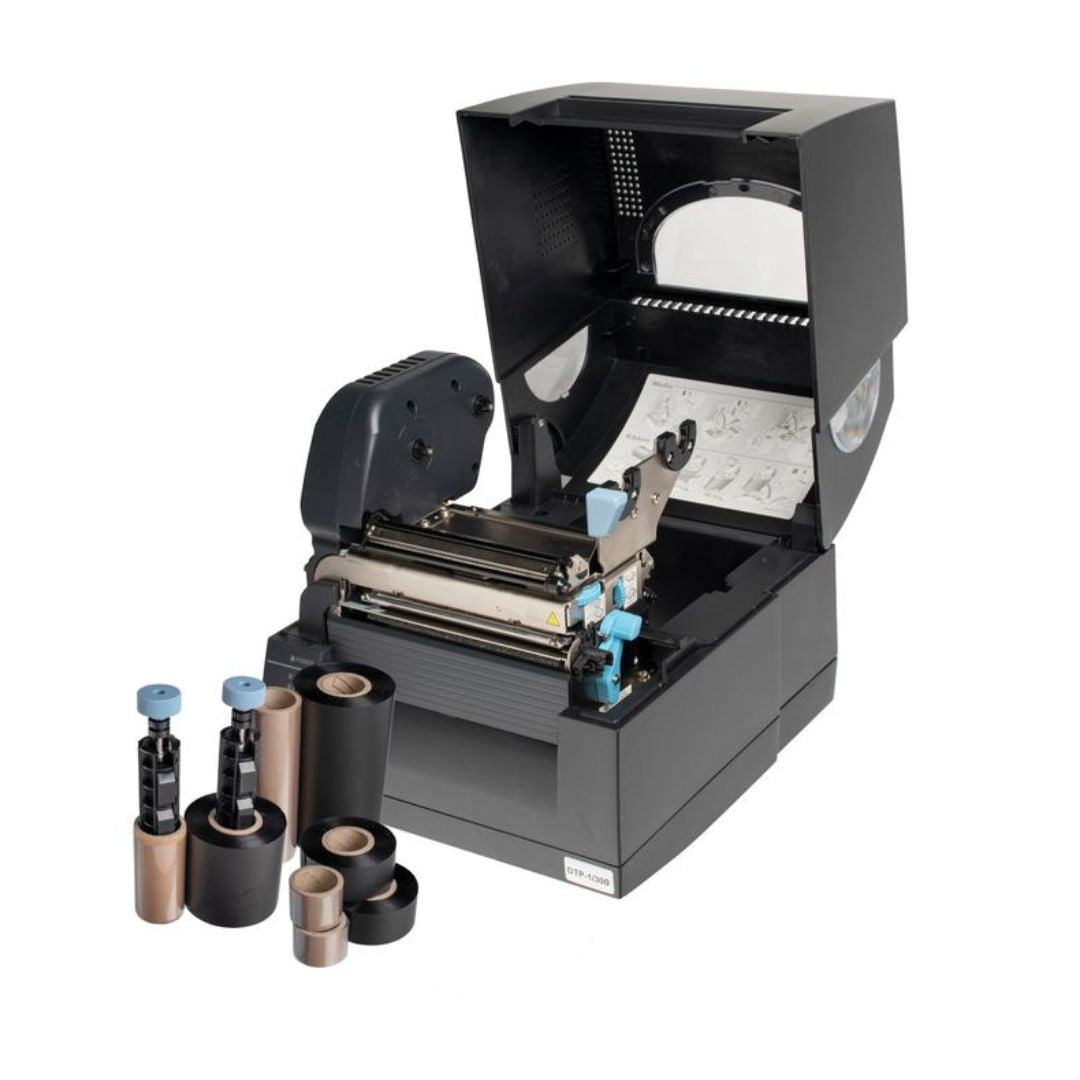
Silver Fox® built the Prolab® Patch Panel Module to solve both. It works with the Fox-in-a-Box® printer and Labacus Innovator® software as one patch panel labelling system.
1. The Challenge
Why Patch Panel Labelling is Difficult
Patch panel labelling is more than printing text on a sticky strip. Every panel type has its own sizes and layout. The usual fix is to order pre-printed strips from a supplier, which adds lead time. It also leaves you stuck when the port schedule changes.
Panel Diversity
From fibre optic to copper, 12-port to 48-port, each OEM panel has different port spacings, label window sizes, and mounting configurations.
Time Pressure
A large data centre job can run to hundreds of panels. Hand-writing labels, or waiting on pre-printed ones, creates a bottleneck that pushes the end date back.
Transcription Errors
Typing cable IDs from a test report into labelling software invites typos. Each one puts the label and the record out of step.
Naming Consistency
Holding one naming scheme across many panels, racks, and sites takes a written standard. ANSI/TIA-606-D exists because ad hoc naming does not survive handover.
These problems multiply where changes are frequent. One mislabelled port can burn hours of fault-finding. Patchy naming makes the next round of maintenance harder than it needs to be. What you need is a method that is quick, accurate, and flexible enough for whatever panel turns up on site.
2. The Solution
Prolab® Patch Panel Module
The Prolab® Patch Panel Module pairs dedicated label rolls with a template tool. That tool sits inside the Advanced and Professional software levels of the Fox-in-a-Box® system. A job that once went out to a supplier is now one an engineer finishes in minutes, at the rack.
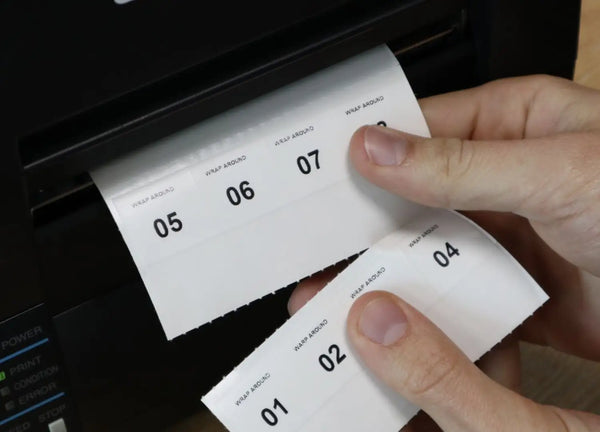
The module is designed to suit any OEM patch panel, copper or fibre. Measure the panel once, set up the template, then save it for next time. Label rolls come in strip heights from 5mm to 50mm. Choose kiss-cut adhesive or perforated non-adhesive, so one system covers narrow fibre trays and deeper copper panels.
Save Time
Prepare and print your own labels on-site, removing the wait for an external supplier or engraver.
Take Control
Create custom labels for any panel configuration with full flexibility over layout and content.
Stay Consistent
Save templates and jobs for reuse across projects, maintaining labelling standards site-wide.
The Patch Panel Module comes with the Advanced and Professional software levels. Silver Fox® adds training, support, and software updates free of charge. If your team already runs Advanced or Professional, the module is there to use now.

Labacus Innovator®
Silver Fox®'s label design software handles everything from simple sequential numbering to full spreadsheet imports, barcodes, QR codes, and GS1® Data Matrix encoding. The Patch Panel Module sits inside the Advanced and Professional levels, alongside free lifetime updates and support.
3. How It Works
From Measurement to Printed Label
The workflow is built for the engineer at the coal face. Four steps, each one shaped for speed without losing accuracy.
-
1
Measure the Panel
Measure port spacing, label window dimensions, and overall strip length. These measurements form the foundation of your template.
-
2
Configure the Template
Enter the layout into the software and set it up once. Save the template for future panels of the same type, then reuse it on the next rack or the next site.
-
3
Enter Label Data
Type the port names in, import them from a spreadsheet, or pull them straight from a Fluke Networks® or AEM Networks tester.
-
4
Print and Apply
Print multiple strips together using Fox-in-a-Box® thermal transfer technology. The same printer and ribbon used for cable wraps work for patch panel strips.
Print speeds reach up to 100mm per second. That is enough output for strips for as many as 60 panels in a minute of printing. The figure covers printing only. It does not include measuring, handling, or fitting the strips, so base your installed-label timings on your own site data.
Saved templates matter most to contractors who meet the same panel types across many sites. Measure once, and the layout is ready the next time that panel shows up.
4. The Standard
Labelling to ANSI/TIA-606-D
ANSI/TIA-606-D is the current edition of the Administration Standard for Telecommunications Infrastructure. According to the Telecommunications Industry Association (2021), it was approved in October 2021. It replaces ANSI/TIA-606-C, which dated from June 2017. If your spec still cites 606-C or an earlier letter, it points at a superseded document.
The standard covers how a cabling plant is administered, not how it is installed. It sets out four things. The name given to each component. The information held against that name. How the records link up. And the reports you draw from them. Its scope runs across commercial, industrial, residential, and data centre premises, plus the cabling between buildings (TIA Fiber Optics Tech Consortium, 2021).
The four administration classes
The standard scales through four classes. A single equipment room is not held to the same paperwork as a multi-site estate. Class 1 is the lightest and Class 4 the most demanding. The size and complexity of the cabling plant drive the choice (TIA Fiber Optics Tech Consortium, 2021). Work out your class first, because it sets how much detail each panel label has to carry.
Class 1
Premises served by one equipment room. The scheme only has to tell apart items in that single space, so panel labels can stay short.
Class 2
One building, or one tenant in it, served by one or more comms spaces. Think of an equipment room plus a few comms rooms. The space now forms part of each name.
Class 3
A campus, covering its buildings and outside plant. A building code joins the scheme, along with the cabling that runs between them.
Class 4
A multi-campus or multi-site system. A site code is added. This matters where one records system covers a whole estate.
The headline change in the D revision is remote powering. Guidance that once sat in an annex is now a normative clause, brought into line with the automated infrastructure management addendum to TIA-5048. That reflects how widely Power over Ethernet is now used. Separate annexes cover patch cord and equipment cord naming, bonding system naming, and the drawing symbols used in administration (TIA Fiber Optics Tech Consortium, 2021).
Where UK and European standards sit alongside it
ANSI/TIA-606-D is a North American standard. UK projects still specify it, because clients, consultants, and hyperscale operators ask for it by name. It is not the sole reference point. UK and European work also draws on the EN 50174 series for cabling installation. ISO/IEC 14763-2 covers how customer premises cabling is installed, tested, and recorded. Where a spec names more than one, settle at design stage which one governs the name format. Changing a scheme after the panels are full is expensive.
Whichever framework applies, the job at the panel is the same. You need a clear, hard-wearing label whose text matches the record and the test result. Our guide to ANSI/TIA-606 cable labelling standards goes into the name formats in more detail.
Applying the standard to a patch panel strip
- Confirm the administration class before you fix the name format.
- Keep the panel label, the record, and the test report in step.
- Label both ends of every link, not just the panel end.
- Pick a text size and contrast that still reads in a dim, packed rack.
- Write down the scheme, so the next team can extend it rather than start again.
5. Integration
Connect Labelling with Cable Testing
Most documentation errors start with re-typing. Someone reads a cable ID off a test report and keys it into the labelling software. One typo puts the label out of step with the certification record, and it stays that way for the life of the installation. Under an ANSI/TIA-606-D scheme, that is a documentation defect, not just a nuisance.
Silver Fox® has tackled this by linking Labacus Innovator® to cable testing platforms. Engineers import test data straight into the labelling software. Labels, test reports, and records then all carry the same names.
Fluke Networks® LinkWare™ Live Integration
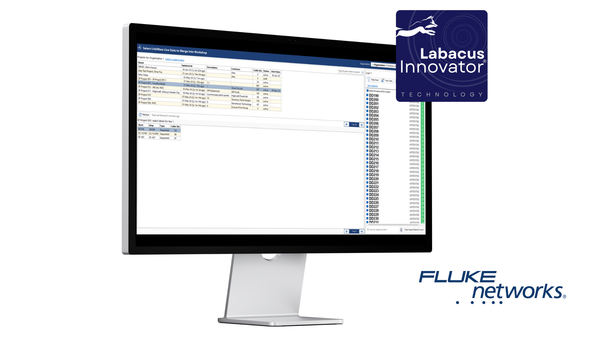
The link to Fluke Networks® LinkWare™ Live joins cable testing to labelling. Versiv™ testers send results up to the LinkWare™ Live cloud. Labacus Innovator® pulls them back down. The re-keying step in the middle simply goes away.

Fluke Networks® Integration
Labacus Innovator® integrates with Fluke Networks® LinkWare™ Live, importing cable test results directly into label designs. This eliminates manual data entry for structured cabling projects, reducing errors and connecting physical labels to digital test documentation.
Start by creating the project in LinkWare™ Live, where you set the test settings and the cable IDs. Engineers certify each link with a Versiv™ tester and the results go to the cloud. Labacus Innovator® then imports that data. The real value is in what happens next. You can edit, trim, and reshape those IDs before printing. That matters on a panel strip, where the full link name rarely fits the window.
AEM Networks Integration
Silver Fox® has also partnered with AEM Networks, covering the TestPro CV100 and Network Service Assistant (NSA) platforms. This one uses a CSV workflow that runs offline. That suits field teams on secure or remote sites.

AEM Networks Integration
Labacus Innovator® integrates with AEM cable testing platforms, enabling test-to-label workflows for structured cabling projects. Cable test data can be imported directly, streamlining label production and ensuring consistency between installed cabling records and physical identification.
It works in four steps. Build a CSV of label data in TestDataPro software. Save it to a USB stick and import that into the AEM tester. Then hit the AEM Networks CSV Import button in Labacus Innovator® to bring the data into your label design. The imported data is then open to patch panel labels, cable wraps, and any other label type. Both integrations come with the Advanced and Professional software levels.
6. Applications
Where Prolab® Delivers Results
Data Centres
A data centre holds a vast number of connections. Clean, consistent panel labels cut the risk of a wrong patch and the downtime that follows. On a large build, Mercury used the Patch Panel Module to print aligned strips for 24-port and 48-port panels. Work that once took two people a full day was done by one person in a fraction of the time. The full account is in our Mercury data centre cable labelling case study. For more on how labelling hits programme dates, see our article on efficient cable labelling and data centre deadlines.
Telecommunications
For telecom operators, uptime is everything. Clear panel labels help crews restore service faster after an outage. Importing straight from the cable tester keeps labels and certification records in step, which makes handover packs and audits easier to produce.
Corporate Networks
Corporate IT teams face constant moves, adds, and changes. The Prolab® Patch Panel Module lets them react fast without breaking the naming scheme. Share the template across the team and the standard holds. The one-printer, one-ribbon approach means no extra kit beyond what the team already uses for cable labels.
7. Best Practices
Getting the Best Results
The module takes most of the effort out of the job. A few habits will sharpen the results further.
Accurate Measurement
Label quality rests on the measurements. Use calipers, not a tape measure. Check the first printed strip against the panel before you run a full batch. A quick photo of the panel on site saves a return trip when you build the template back at the office.
Consistent Naming Conventions
Use a naming scheme that follows ANSI/TIA-606-D where the project calls for it. Confirm the administration class before you fix the name format. A scheme that is written down and shared still makes sense to whoever works on the kit next. That is the whole point of an administration standard.
Leverage Integration
If your team runs Fluke Networks® or AEM Networks testers, use the integration. A few minutes setting up the import pays back in typos you never make and records that already match.
Key Takeaways
- Measure the panel carefully before you build a template.
- Save templates and reuse them on similar panel types.
- Set the name format from your ANSI/TIA-606-D class.
- Use the cable tester link to cut out manual data entry.
- Print cable labels and panel strips from one system.
FAQ
Patch Panel Labelling Questions
What is the current version of the ANSI/TIA-606 standard?
ANSI/TIA-606-D is the current edition. It was approved in October 2021 and replaces ANSI/TIA-606-C from June 2017 (Telecommunications Industry Association, 2021). Specs written before late 2021 often still name 606-C or 606-B. Check which revision a client document asks for before you set your naming scheme.
How do I label a 24-port patch panel?
Measure the port spacing and the label window height, then build a template to match. Fill it with names from your records or your cable test export. Printing one full strip keeps the spacing even. That beats sticking on single labels port by port and hoping they line up.
Can I use a patch panel label template from Excel?
Yes. Labacus Innovator® imports label data from Excel and CSV files. An existing port schedule goes straight into the template rather than being retyped. The Advanced level handles CSV import with column merging. The Professional level adds a full spreadsheet view, so you can pick specific cells.
How do you label a fibre patch panel?
The principle matches copper, but fibre trays usually have shallower label windows. Prolab® Patch Panel Module rolls start at a 5mm strip height for that reason. Keep names short enough to read at that height. Trim imported test IDs rather than shrinking the font until nobody can read it.
Next Steps
Ready to Streamline Your Patch Panel Labelling?
The Prolab® Patch Panel Module, Fox-in-a-Box®, and the tester links give you one route from test result to applied label. Bringing the work in-house removes supplier lead times and cuts re-typing errors. It also keeps your naming in step with the standard your project is specified to.
Speak to Our Team
Need help getting started with the Prolab® Patch Panel Module? Want to see how the Fluke Networks® or AEM Networks integrations work, or watch the system run? Our team is ready to help.
Contact our expert team at [email protected] or call +44 (0) 1707 37 37 27.
References
Telecommunications Industry Association (2021) ANSI/TIA-606-D: Administration Standard for Telecommunications Infrastructure. Approved 5 October 2021, replacing ANSI/TIA-606-C (June 2017). Arlington, VA: TIA. Available at: https://tiaonline.org/
TIA Fiber Optics Tech Consortium (2021) ANSI/TIA-606-D: Administration Standard for Telecommunications Infrastructure, standards overview. Available at: https://www.tiafotc.org/tia-standards-update/tia-606-d/
CENELEC. EN 50174 series: Information technology - Cabling installation. Brussels: CENELEC.
International Organization for Standardization / International Electrotechnical Commission. ISO/IEC 14763-2: Information technology - Implementation and operation of customer premises cabling. Geneva: ISO/IEC.