
Best Practices
How to Standardise Cable Labelling Across Teams
A practical playbook for multi-site, multi-contractor, or multi-project organisations that want every label to read the same way, regardless of who printed it.
Why standardisation matters
The hidden cost of inconsistent labels
When two engineers on the same project produce labels in different formats, every site visit becomes a negotiation, every handover pack needs reconciling, and every fault takes longer to trace because the reader cannot trust what they are looking at. Standardisation is the practical answer. It is a set of decisions made once and applied consistently by everyone who prints a label, whether in a panel shop, on a live site, or mobilising a new team for a framework contract. This guide sets out how to make those decisions, document them lightly, and roll them out without creating a bureaucracy that field teams will ignore.
1. Write the convention
Start with a short, written labelling convention
A labelling convention does not need to be a fifty-page document. Two to four pages will cover almost every question a field engineer will raise, if you answer the right ones. The goal is to remove guesswork, not to produce a policy binder that no one reads. At a minimum, the convention should cover identifier structure, character set, label format per cable type, placement, and which standard the scheme references. Tying the convention to a recognised standard gives the document external weight and saves arguments on site. For structured cabling, BS EN 62491 covers cable and core identification. For telecommunications infrastructure, ANSI/TIA-606-D provides a framework that clients increasingly specify. For electrical installations in the UK, the IET Wiring Regulations (BS 7671) require that cables are identifiable at terminations.
A minimum viable labelling convention covers
- Identifier structure: the pattern every label follows, for example AREA-PANEL-CIRCUIT or SOURCE/DESTINATION.
- Character set: uppercase only, no spaces, hyphens or slashes as separators, zero-padding for sort order.
- Label format by cable type: wrap-around for data cables, tie-on for heavy power, heatshrink for fixed terminations.
- Placement: both ends of every run, at termination, and at tray transitions where the cable is visible.
- Reference standard: the external standard the scheme aligns with, named explicitly.
- Exceptions and sign-off: who approves a deviation, and where it gets recorded.
Keep the language prescriptive. If an engineer cannot answer a question by skimming the document in sixty seconds, the document is too long.
2. Control the templates
Lock the templates in the software, not in the document
A written convention tells engineers what the label should look like. Template control is how you stop the label drifting when nobody is watching. If every engineer builds their own layout from scratch using the convention as a guide, you will get drift: fonts change, padding changes, character counts creep over the intended limit, and within six months the output from different teams is visibly different even though everyone thinks they are following the same rules.
The fix is to build templates once, lock them inside the label design software, and distribute them as the starting point for every job. Engineers populate data rather than design the label. Small deviations become impossible because the layout is fixed. Large deviations become visible because they require someone to unlock the template, which you can tie to a sign-off.

Labacus Innovator®
Silver Fox®'s label design software stores reusable templates for every label type in the range. Templates can be built centrally, exported, and shared with project teams so that each site prints from the same locked layout. The Professional tier extends this with full spreadsheet import and the Satellite Jobs feature, which lets a head-office job be exported as a locked file that site teams can print from but cannot edit. This gives you version control over what actually reaches the print queue.
Locked templates also simplify quality checks. If a label on a site photograph does not match the template, it is either from an unauthorised source or from a template that was edited without sign-off. You have something concrete to investigate rather than a vague impression that labels look different.
3. Consolidate the hardware
One printer, one software, one ribbon
The more printers and software packages an organisation uses across its teams, the more variability creeps in. Different printers produce slightly different print density, different software packages handle character spacing differently, and different ribbons interact with label materials in different ways. Every inconsistency compounds when labels from different teams end up on the same site.
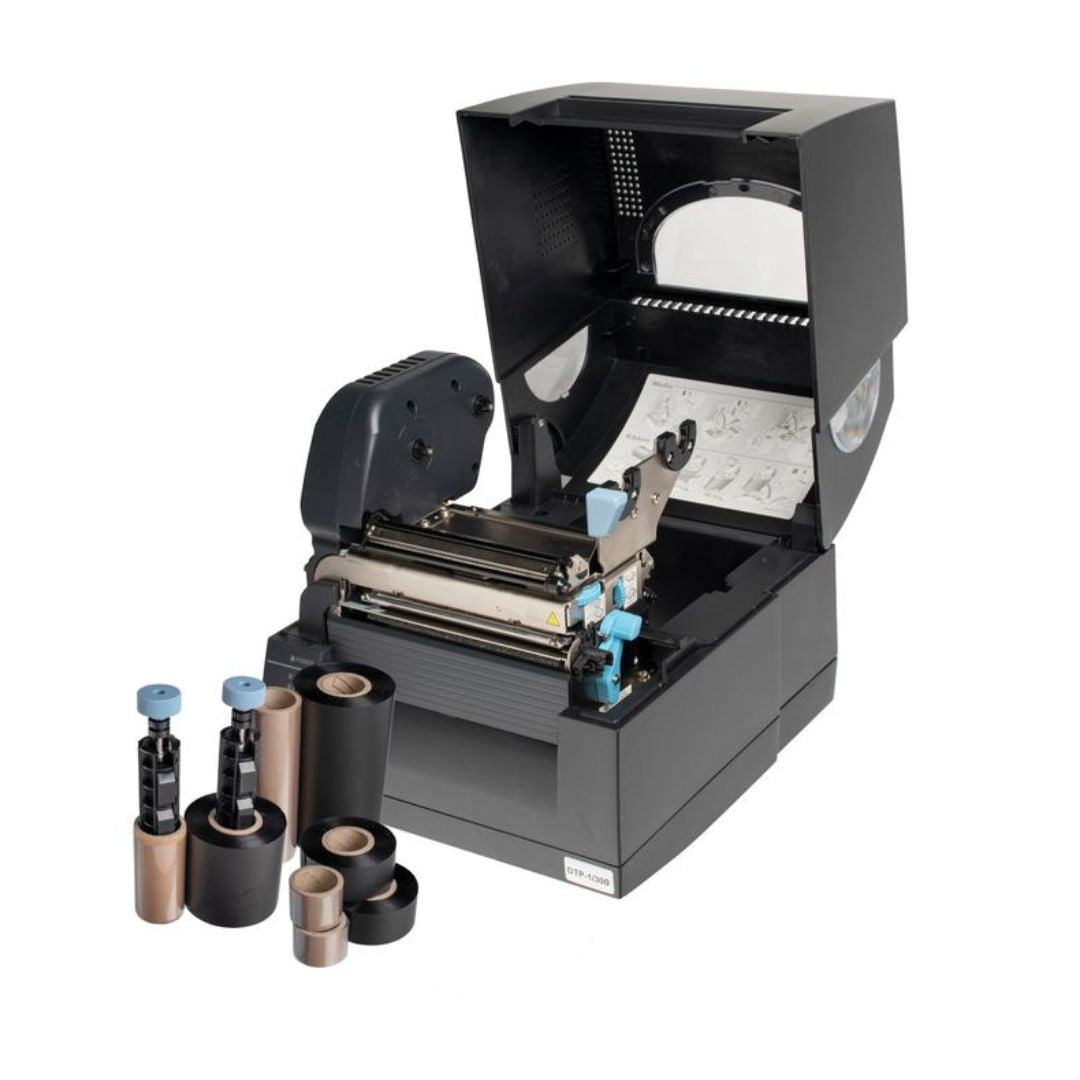
Consolidating on a single printing system removes most of this variability at the source. Fox-in-a-Box® is designed around this principle: one thermal transfer printer, one software platform, and one ribbon producing more than 200 label variations across tie-on, wrap-around, heatshrink, non-shrink, and equipment formats. An engineer trained on one label type is already trained on the rest. A template that works in head office works identically on site.
The practical benefits are consistent output regardless of where the label is printed, training portability for engineers moving between teams, and simpler stock management with one ribbon type across the range. Where teams need a laser-printer option rather than a thermal transfer system, the Labacus Innovator® Laser version covers the same workflow for sheet-fed products such as wrap-around and equipment labels. The convention and the templates stay the same; only the output device changes.
4. Rollout and adoption
Move from standard to practice
Publishing a convention and distributing templates is only half the work. The convention becomes real when teams use it by default, without thinking, on live projects. This takes a short, deliberate rollout rather than an email attachment and a polite request to follow the new approach.
-
1
Pilot on one project first
Pick a current project with a known team and a reasonable timeline. Run the convention and the locked templates on that project only, and capture every question, objection, and exception. A convention that survives contact with one real project is far stronger than one written in isolation.
-
2
Train in person, briefly
A thirty-minute walkthrough with a printer in the room beats a two-hour webinar. Show engineers how to load a template, import data, print, and apply. Hand them the convention and walk through the decisions it makes on their behalf.
-
3
Assign a single point of contact
One named person in each team answers labelling questions and owns template updates. This avoids five engineers editing the same template independently because none of them knew who to ask.
-
4
Roll out team by team
After the pilot, bring teams on one at a time. Each team inherits the refinements made during the previous rollout, and the central support load stays manageable.
-
5
Review at six months
Check what teams are actually doing against what the convention says. Close the gaps by updating the convention to reflect pragmatic field practice or reinforcing the original rule if the deviation is causing harm.
Electrical infrastructure contractor RJ Power applied exactly this pattern when it moved to a single labelling standard across its UK programme, rolling out Fox-in-a-Box® to project teams operating from multiple regional offices. Every team received the same printer, the same software, the same label types, and the same workflow. Labelling quality stopped being a team-by-team question and became a baseline characteristic of the contractor's output.
5. Keep it alive
Governance and light-touch audit
Standards decay without attention. New engineers join, templates get edited, and clients request small deviations that accumulate into new de-facto rules. The goal of governance is not to police every label; it is to spot drift early and decide whether to correct it or formalise it.
A light-touch audit is usually enough. Once or twice a year, pick a handful of recent projects and sample twenty labels from each against the convention and the templates. If the samples match, the system is working. If they do not, the interesting question is why the rule did not survive first contact with the field. Often the answer is practical: a client asked for a different format, a label type is not covered by the templates, or the software workflow is awkward for a specific cable run. Fix the root cause, not the symptom.
Annual audit checklist
- Is every project team printing from the current template version?
- Are identifier patterns on recent labels consistent with the convention?
- Are exceptions being logged, or are they becoming invisible?
- Has the reference standard been updated since the convention was last reviewed?
- Do new starters receive the convention and templates during onboarding?
For projects where labels connect to downstream records such as cable test data, integration becomes part of governance. Labacus Innovator® Advanced and Professional tiers integrate with Fluke Networks® LinkWare™ Live, allowing cable test data to flow directly into label content. This eliminates a common source of drift, where labels are produced from one spreadsheet and test records from another, and the two diverge over the life of the project.

Fluke Networks® Integration
Labacus Innovator® integrates with Fluke Networks® LinkWare™ Live, importing cable test results directly into label designs. This eliminates manual data entry for structured cabling projects, reducing errors and connecting physical labels to digital test documentation.
FAQ
Frequently asked questions
How do you standardise cable labelling across multiple teams?
Standardise in three layers: a short written convention covering identifier structure, format, and placement; a set of locked templates in the label design software that every team uses; and a single printing system so consumables and workflow are the same everywhere. Pilot on one project first, then roll out team by team with a short in-person training session and a named point of contact in each team.
What should a cable labelling convention contain?
At a minimum: identifier structure, character set rules, label format by cable type, placement rules, and a reference to the external standard the scheme aligns with. Two to four pages is usually enough. Add an exceptions process so deviations are logged rather than quietly normalised.
Which standards should a labelling convention reference?
It depends on the sector. BS EN 62491 covers cable and core identification generally. ANSI/TIA-606-D is widely used for structured cabling. BS 7671 (the IET Wiring Regulations) requires cables to be identifiable at terminations for UK electrical installations. Referencing a published standard gives the convention external authority and makes compliance audits easier.
How do you stop engineers editing templates without authorisation?
Use label design software that supports locked templates and controlled export. The Professional tier of Labacus Innovator® includes the Satellite Jobs feature, which exports a head-office job as a locked file that site teams can print from but cannot edit. Pair this with a short approval process for template changes and a named template owner in each team.
Is one labelling system really needed, or can teams use different products?
Teams can use different products, but the cost is variability. Different printers, software, and consumables produce slightly different output, and every difference has to be reconciled at handover. Consolidating on one system removes most of that variability at source and simplifies training, stock management, and quality audits.
How often should a labelling convention be reviewed?
Once or twice a year is sufficient for most organisations. Review sooner if the reference standard is updated, if a major new project type comes into scope, or if a client specifies a format the current convention does not cover.
Next steps
Plan your standardisation programme
One printer, one software, one convention
Silver Fox® works with contractors, engineering teams, and facilities organisations to roll out consistent cable labelling across sites. Whether you need help scoping a convention, building a locked template library, or standardising on a single printing system, our team can walk through your current setup and recommend a practical path forward.
Contact us at [email protected] or call +44 (0) 1707 37 37 27. You can also run the Cable Labelling Time Savings Calculator to model the impact on an upcoming project.



References
British Standards Institution (2017). BS EN 62491:2017 Industrial systems, installations and equipment and industrial products. Labelling of cables and cores. London: British Standards Institution. Available at: knowledge.bsigroup.com.
Telecommunications Industry Association (2022). ANSI/TIA-606-D Administration Standard for Telecommunications Infrastructure. Arlington, VA: Telecommunications Industry Association. Available at: tiaonline.org.
Institution of Engineering and Technology (2022). BS 7671:2018+A2:2022 Requirements for Electrical Installations. IET Wiring Regulations, Eighteenth Edition. Stevenage: Institution of Engineering and Technology. Available at: electrical.theiet.org.