
Asset Tracking Guide
How to Label Laptops, Phones, and IT Equipment for Asset Tracking
A laptop asset tag does not need to survive an oil rig, but it does need to stay put for the life of the device. Matching the right label to each piece of IT equipment is the difference between a tracking system that works and one that falls apart.
Your asset management database knows the serial number, the purchase date, and the assigned user. But the person standing in front of the device does not have access to any of that unless there is a physical label on it. That disconnect is where IT asset tracking breaks down. Audits slow to a crawl, support tickets get logged against the wrong machine, and at lease end, devices that should be returned simply vanish.
If you are already familiar with what asset tags are and why they matter, this guide picks up where that introduction leaves off. It focuses specifically on IT equipment: laptops, phones, tablets, monitors, desktops, servers, and ruggedised field devices. Each has different surfaces, different handling patterns, and different labelling requirements. Getting the label choice right means your tags stay legible and attached for the full service life of the device.
1. The problem
Why IT equipment needs physical labels
Software-based tracking relies on network connectivity and database access. A CMDB (configuration management database) entry is invaluable for IT service management, but it cannot help the facilities manager doing a desk-by-desk audit, the technician swapping monitors between floors, or the courier collecting devices at the end of a lease. Physical asset tags bridge that gap by making identification instant and universal: anyone with line of sight to the label can identify the device, regardless of whether they have system access.
If you think your organisation has a handle on where its devices are, the numbers from the UK public sector suggest otherwise.
According to Apricorn's annual Freedom of Information research, over 1,200 devices were reported lost or stolen across major UK government departments in 2024, with HMRC alone accounting for 804. Separate FOI data reported by The Guardian showed the Ministry of Defence recorded 103 missing laptops and 387 missing phones in just the first five months of 2025. The House of Commons saw its own losses rise from 65 devices in 2023 to 100 in 2024. These are organisations with dedicated IT security teams, formal asset management policies, and regular auditing processes. The devices still went missing.
The picture is no better in the private sector. Research from Gartner has suggested that up to 30% of organisations do not know what assets they own, where those assets are, or who is using them. When a device has no physical label connecting it to a record, it becomes invisible the moment it leaves the desk it was issued to. It is not reported missing because nobody knows it existed. It does not appear in the audit because there is nothing to scan. And at lease end, it is not returned because no one can confirm it belongs to your organisation. These are not edge cases. They are the daily reality for any IT team managing more than a handful of devices without a reliable physical identification system.
The challenge specific to IT equipment is that it comes in many form factors, made from many materials, used in many environments. A label that works perfectly on a steel server chassis may peel off a polycarbonate laptop lid within weeks. A tag sized for a desktop tower may look absurd on a smartphone. Effective IT asset labelling means matching the label type, size, and adhesive to the specific device and the conditions it will face.
2. Choosing the right label
The label escalation ladder
Not every IT device needs the same label. Silver Fox® offers a range of asset label types that form a clear escalation path. Start with the lightest-duty option that suits the environment, and step up when conditions demand more.
Level 1: Prolab® P/TAG Equipment Labels
Prolab® P/TAG Equipment Labels are laser-printable polyester labels supplied on pre-cut A4 sheets. They print through any standard office laser printer, making them the quickest option when you need to label a batch of equipment with no specialist hardware. Up to 504 labels can be printed in the time it takes a single A4 sheet to run through the printer. P/TAG labels use a strong acrylic adhesive for long-term bonding and are available in a wide range of sizes, from small 12x12mm labels for data outlets up to full A4 sheets for cabinet identification. For IT teams labelling monitors, desktops, printers, and other office-based equipment in controlled environments, P/TAG labels are often the most practical starting point.
Level 2: Prolab® Clear Asset Labels
Where a visible metalised or white label is not appropriate, Prolab® Clear Asset Labels offer a discreet alternative. The clear material allows the device colour or branding to show through, making the label less visually intrusive. This is particularly useful for client-facing environments where aesthetics matter, for devices with branded finishes that should not be obscured, or for organisations that prefer asset identification to be present but subtle. Clear Asset Labels are thermally printed via the Fox-in-a-Box® system.

Prolab® Clear Asset Labels blend into the device surface, keeping asset identification present without obscuring branding or finish. Ideal for reception areas, client-facing offices, and branded equipment.
Level 3: Prolab® Low Profile Asset Labels
Prolab® Low Profile Asset Labels are made from a durable metalised polyester with a strong acrylic adhesive designed for long-term bonding. Thermally printed via Fox-in-a-Box®, they are the standard asset tag for laptops, monitors, and desktops in office environments. The metalised finish gives a professional, permanent appearance. Available in sizes including 50x25mm and 60x10mm, they are slim enough not to interfere with laptop docking stations or monitor stands. Low Profile Asset Labels have been shown to withstand prolonged exposure to sunlight for 3,000 accelerated UV hours.

Prolab® Low Profile Asset Labels use a metalised polyester face with strong acrylic adhesive. Slim enough for laptop bases and monitor bezels, with a professional finish that signals the device is tracked and managed.
Level 4: Prolab® Raised Profile Asset Labels
When IT equipment leaves the office, it needs tougher identification. Prolab® Raised Profile Asset Labels use a foam carrier beneath a polyester face, creating a thicker label with a stronger adhesive bond. The foam carrier distributes adhesive pressure across the bonding area, compensating for minor surface irregularities on textured plastics, painted metals, and moulded equipment housings. This makes them particularly suited to site laptops used by surveyors, ruggedised tablets carried by field engineers, or any IT equipment that gets handled roughly, carried in tool bags, or transported between locations. Raised Profile labels are a durable alternative to engraved labels and can incorporate barcodes, QR codes, and GS1® Data Matrix codes using the Professional level of Labacus Innovator® software.

Prolab® Raised Profile Asset Labels feature a foam carrier that grips textured and irregular surfaces. The go-to choice for site laptops, ruggedised tablets, and surveyor equipment that gets thrown in vans and carried between locations.
Level 5: Clear over Raised Profile for maximum protection
For the toughest environments, the Clear Asset Label can be applied as a transparent protective layer over a Prolab® Raised Profile or Prolab® Low Profile Asset Label. The clear lamination shields the printed surface beneath from abrasion, scuffing, and surface contamination. This combination delivers both the strong adhesive bond and print durability of the underlying label and the physical protection of the clear overlay. It is worth considering for devices that see the hardest use: equipment carried on construction sites, devices used outdoors in all weather, or assets passed between multiple users and locations where the label takes constant handling.
Quick selection guide
- Office desktops, monitors, printers in controlled environments: P/TAG Equipment Labels
- Client-facing devices where appearance matters: Clear Asset Labels
- Standard office laptops and tablets: Low Profile Asset Labels
- Site laptops, ruggedised field devices, surveyor equipment: Raised Profile Asset Labels
- Harsh handling, outdoor use, maximum print protection: Clear label over Raised Profile
3. Application
Surface preparation and label placement
Even a well-chosen label will fail if it is applied to a dirty or unsuitable surface. A few minutes of preparation makes a significant difference to long-term adhesion.
Cleaning the surface
Wipe the application area with isopropyl alcohol (IPA) and allow it to dry fully before applying the label. This removes oils from handling, dust, and any residue from manufacturing or packaging. Avoid household cleaners, which can leave a film that reduces adhesive contact. On devices that have been in use, pay particular attention to areas where hands regularly rest, as skin oils accumulate over time.
Material considerations
IT equipment housings are made from a range of materials, each with different bonding characteristics. Aluminium laptop lids (common on premium notebooks) generally provide excellent adhesion once cleaned. Polycarbonate and ABS plastics are common on standard laptops and peripherals, and some formulations include mould-release agents that can affect initial adhesion. The acrylic adhesive used on Prolab® asset labels reaches full bond strength over time, so labels should not be tested for adhesion immediately after application. For textured or curved surfaces, the foam carrier on Raised Profile labels compensates for surface irregularities that would leave gaps under a flat label.
Where to place the label
The ideal position balances visibility during audits with protection from daily wear. For laptops, the underside or the flat area beside the trackpad are common choices, though some organisations prefer the laptop lid for immediate visual identification. For monitors, the top bezel or rear panel works well. For phones and tablets, place the label where a protective case does not cover it, or apply it directly to the case if the case is considered permanent. On servers and rack-mounted equipment, the front bezel or side panel near the service tag location keeps asset labels visible during rack walks. Avoid placing labels over ventilation slots, battery access panels, or areas that generate significant heat.
4. Label content
What to include on an IT asset tag
The information on the label determines how useful it is in the field. Too little data and the tag only confirms that the device is tracked. Too much and the label becomes cluttered and difficult to scan.
Numbering schemes
Sequential numbering is the simplest approach and remains accurate regardless of departmental changes or office moves. Department-prefixed schemes (e.g. IT-0012, MKT-0045) add context but require relabelling if equipment moves between teams. Device-type prefixes (L for laptop, D for desktop, T for tablet) help technicians identify the device type from the code alone. Whichever scheme you choose, keep it consistent across the organisation to avoid confusion as the register grows.
Barcodes, QR codes, and Data Matrix
A plain-text asset number requires manual entry into your system. A barcode or QR code eliminates transcription errors and speeds up scanning during audits. QR codes store more data than standard barcodes and can be scanned with smartphone cameras, removing the need for dedicated handheld readers. For organisations with formal encoding requirements, GS1® Data Matrix codes provide standardised identification that integrates with supply chain and inventory management systems. The Professional level of Labacus Innovator® software supports all of these formats, generating barcodes, QR codes, and GS1® Data Matrix codes directly onto asset labels.
Essential fields
Asset ID number, organisation name or logo, barcode or QR code linking to asset record.
Optional fields
Department, contact phone number for returns, purchase date, warranty expiry, device type prefix.
The label area available on a laptop or phone is limited, so prioritise the essential fields and let the QR code carry the rest. When scanned, the code can link to the full asset record in your management system, displaying all the information that does not need to be physically printed.
5. Printing options
Print your own or let Silver Fox® do it for you
Pre-printed asset tags from an external supplier work well for a one-off rollout, but IT procurement is rarely a one-off event. New laptops arrive weekly, phones are replaced on rolling contracts, and project equipment appears at short notice. Waiting for a supplier to print and ship labels introduces delays that mean devices sit unlabelled in the meantime.
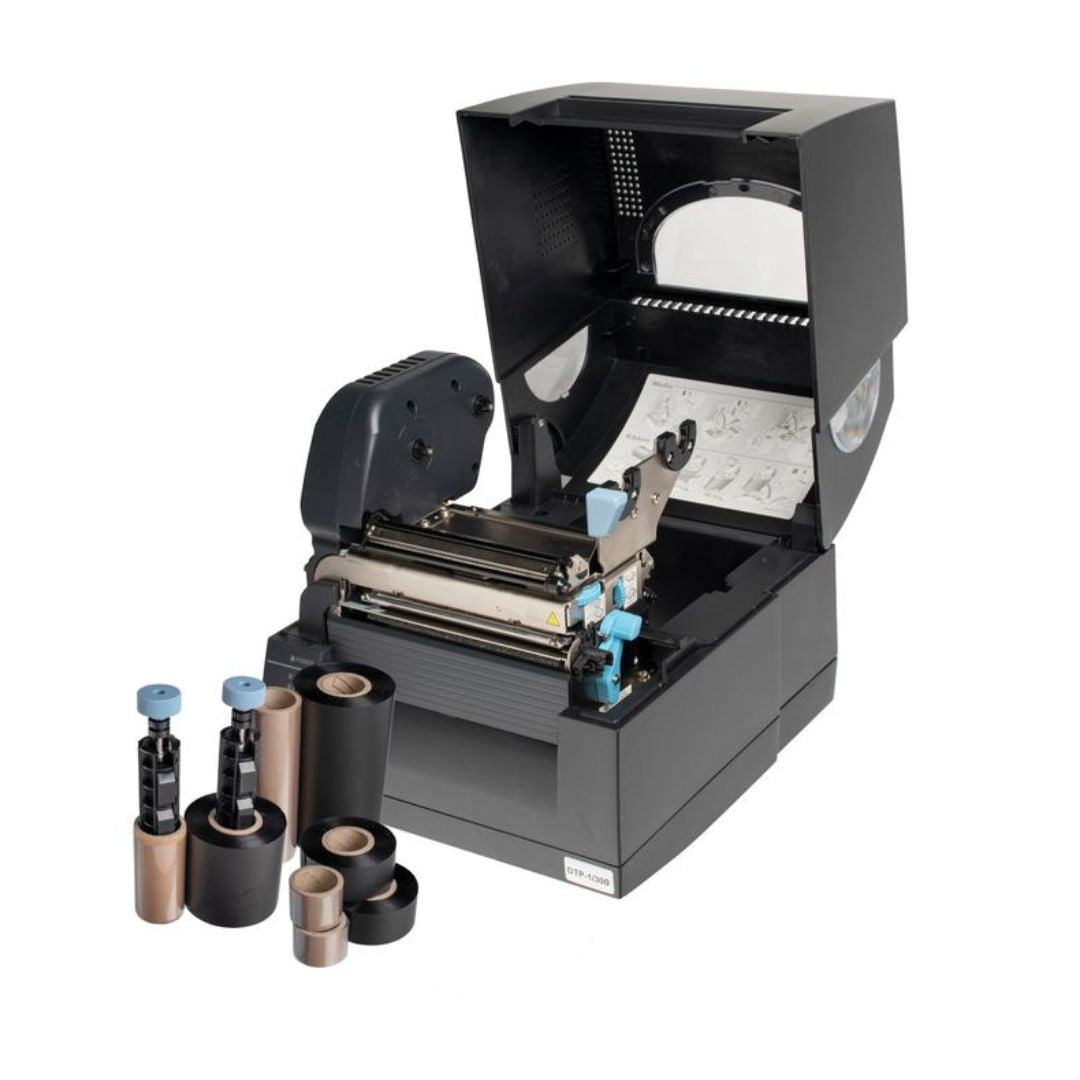
The Fox-in-a-Box® thermal transfer printer sits on a desk in the IT department and prints asset labels on demand. When a new device arrives, the asset record is created in your management system, the asset ID is imported into Labacus Innovator® (directly from a spreadsheet or CSV export), the label is designed using the built-in templates, and it is printed and applied before the device reaches its user. No lead time, no minimum order, no reliance on external suppliers.
The same Fox-in-a-Box® system prints P/TAG labels through the laser-printable route, and Clear, Low Profile, and Raised Profile asset labels through the thermal transfer route, all using Labacus Innovator® software. It also handles cable labels, patch panel labels, and equipment labels, so the IT team has a single system for all identification tasks across the server room, the comms cabinet, and the asset register. As Deploy Recruitment found when scaling their asset tracking, the integration between asset management software and Fox-in-a-Box® eliminated the manual errors and supplier dependencies that had been undermining their previous labelling approach.
-
1
Create the asset record
Log the device in your CMDB or asset management system. Assign the asset ID using your chosen numbering scheme.
-
2
Import into Labacus Innovator®
Export the asset data as a spreadsheet or CSV and import it into the label software. Map the fields to the label template.
-
3
Print and apply
Select the label type to match the device. Clean the surface with IPA, print, and apply. The label is on the device before it reaches its user.
Prefer not to print yourself?
Not every organisation wants to bring printing in-house, and that is fine. Silver Fox® also offers a Pre-Print Service where you send us your asset data and we print and deliver the finished labels to your specification. This is particularly useful for large initial rollouts where hundreds or thousands of devices need tagging at once, for organisations that do not yet have a Fox-in-a-Box® system, or for teams that simply prefer to have labels arrive ready to apply. Many organisations use a combination of both: a pre-printed batch to cover the existing estate, then Fox-in-a-Box® on-site for ongoing day-to-day labelling as new devices arrive.
FAQ
Common questions
Where should I put an asset tag on a laptop?
The underside is the most common position because it is protected from daily handling and does not affect the appearance of the device when open. Some organisations label the lid for faster visual identification during audits. Avoid placing labels over ventilation grilles, battery access panels, or docking connector areas.
Can I use a standard office printer for asset tags?
Yes, for Prolab® P/TAG Equipment Labels. These are supplied on pre-cut A4 sheets designed for standard laser printers. For Low Profile, Raised Profile, and Clear Asset Labels, you need the Fox-in-a-Box® thermal transfer printer, which produces more durable output suited to long-term asset identification.
How do asset tags work with asset management software?
The label carries a unique identifier, either as a plain-text number or as a scannable barcode or QR code. When scanned, the code returns the asset record from your management system. Labacus Innovator® can import asset data directly from spreadsheets, so the same data that populates your CMDB also generates the label content, eliminating manual re-entry.
What is the difference between Low Profile and Raised Profile asset labels?
Low Profile labels are made from metalised polyester and sit flat against the surface. They are suited to office equipment in controlled environments. Raised Profile labels add a foam carrier beneath the polyester face, creating a thicker label with a stronger bond that compensates for textured or irregular surfaces. Raised Profile labels are better suited to field equipment, tools, and devices that experience rough handling.
Do asset tags work on phones with cases?
If the case is considered permanent (i.e. it stays on the device for its service life), apply the label to the case. If cases are swapped regularly, apply the label directly to the phone body in a position the case does not cover. The back panel near the bottom edge often works, though the exact position depends on the case design.
What does applying a Clear Asset Label over a Raised Profile label do?
The clear label acts as a transparent protective layer, shielding the printed information on the label beneath from abrasion, scuffing, and surface contamination. This combination is useful for equipment that faces the hardest handling conditions, where even a durable Raised Profile label could benefit from additional print protection.
Next steps
Start labelling your IT assets
Ready to set up IT asset labelling?
Whether you are tagging a fleet of office laptops or ruggedised field equipment, Silver Fox® can help you choose the right label type, size, and printing approach. We offer free samples so you can test adhesion on your specific devices before committing to a full rollout.
Contact us at [email protected] or call +44 (0)1707 37 37 27.
References
Apricorn (2025). Freedom of Information research: Lost and stolen devices across UK government departments, 2024. Reported by Security Brief UK. Available at: securitybrief.co.uk.
The Guardian (2025). FOI disclosure: UK government devices lost or stolen 2024-2025. Reported by Parliament Politics Magazine. Available at: parliamentnews.co.uk.
Gartner, Inc. Ghost assets and fixed asset inventory discrepancies. Cited by Asset Panda. Available at: assetpanda.com.