
Software Guide
Label Design Software: Key Features for Engineers
What to look for in cable labelling software, and how the Labacus Innovator® Label Workshop 2 upgrade delivers on every count.
Labelling might not be the first thing engineers think about when planning a project, but it is one of the tasks most likely to cause delays when it goes wrong. Misprinted labels, manual data entry errors, and software that cannot keep pace with project demands all contribute to wasted hours on site. A single labelling mistake can have serious consequences for system reliability.
The right label design software eliminates these problems before they start. It gives engineers control over layout, data import, barcode creation, and printing from a single platform. But not all labelling software is built the same, and knowing what features to look for can mean the difference between a smooth workflow and a frustrating one.
This guide covers the key capabilities that matter most for cable labelling and equipment identification, and explains how Labacus Innovator® Label Workshop 2 from Silver Fox® delivers on each of them.
-
Design
True WYSIWYG editor, shape library, warning sign creator, and professional layout tools.
-
Data
Drag-and-drop spreadsheet import, cable testing integrations, and multi-build job division.
-
Print
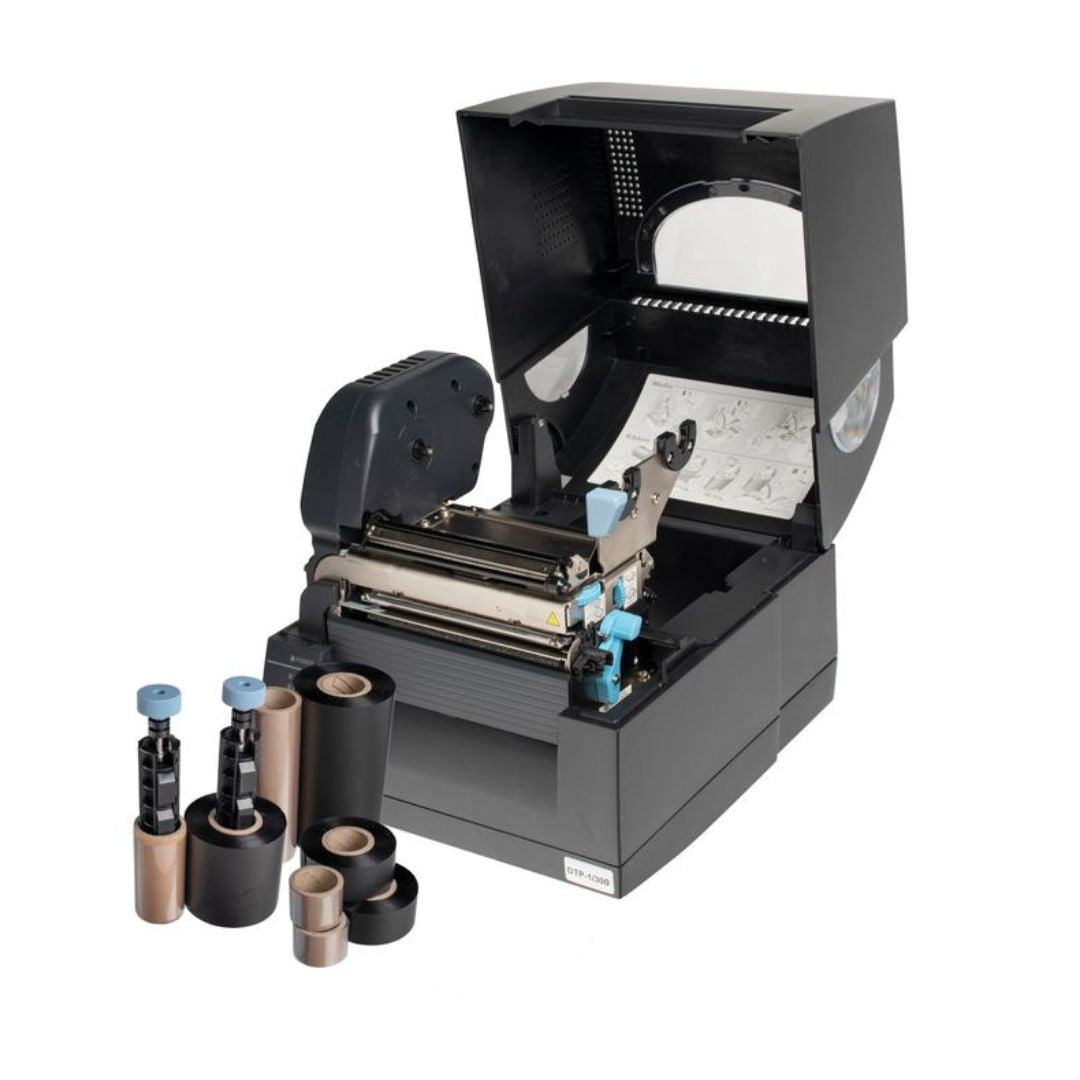
One software for thermal and laser printing across 200+ label variations, with cross-ferruling.
1. Design tools
Visual Design and Layout Tools
When designing cable labels, equipment labels, or asset labels, precision matters. A label that is even slightly misaligned can cause confusion during installation or maintenance. Good label design software should offer visual tools that make it easy to position text, graphics, and symbols exactly where they need to be.
Look for a true WYSIWYG (What You See Is What You Get) editor, so the label on screen matches the printed output. This avoids the trial-and-error approach of printing test pages to check alignment, saving both time and materials.
Key visual features to look for
- True WYSIWYG editor for accurate on-screen previews
- Modern ribbon interface for fast access to design tools
- Drag-and-drop design with precision object placement
- Alignment guides and snap-to-grid functionality
- Text and graphics rotation for flexible label layouts
- Extensive shape library with full customisation control
- Logo, icon, and safety symbol import capability
- Custom warning sign and safety signage creation
- Colour toggle for thermal and laser printing workflows
True WYSIWYG Editor
The Label Workshop 2 release introduces a true WYSIWYG editor interface, ensuring that every design viewed on-screen is printed with complete accuracy using the Fox‑in‑a‑Box® thermal transfer printer or a standard laser printer. This removes the uncertainty often associated with complex label layouts, giving engineers the confidence that labels will look exactly as intended when applied on site.
Modern Ribbon Interface
A streamlined ribbon toolbar means engineers can configure barcodes, import company logos, add warning symbols, or adjust text properties quickly without navigating multiple menus. This simplifies the design process and reduces setup time when switching between different label types - a frequent requirement in projects where engineers need to produce a mix of cable markers, wrap-around labels, and equipment identification.
Drag-and-Drop Design
For projects requiring detailed layouts - such as control panels, patch panels, or multi-cable bundles - the drag-and-drop design functionality provides engineers with the flexibility to create complex, data-rich labels directly in the software. Objects can be drawn, moved, and resized with precision, making it straightforward to adjust label content as project requirements evolve. This level of control is especially valuable when engineers need to accommodate long cable IDs, QR codes, or dual-language text within a limited label area.
Extensive Shape Library
The upgrade introduces an extensive shape library including rectangles, ellipses, triangles, stars, arrows, dividers, grids, and fully customisable polygons. Engineers can use arrows to indicate cable direction or flow in instrumentation setups, while dividers and grids help organise multiple fields of information on a single label - ideal for patch panels or control cabinet layouts.
Engineers have complete control over line thickness, fill colours, and rotation, allowing label designs to meet both functional and compliance requirements. Advanced property controls go further, allowing adjustments such as the number of points on a star or the sides of a polygon, enabling precise representation of technical symbols, hazard icons, or custom project identifiers. This means even highly specialised labelling requirements - such as safety warnings or ISO-compliant hazard symbols - can be created without the need for pre-printed stock.
Colour Toggle for Thermal and Laser Workflows
Fox-Flo® and other Silver Fox® labels are used in both thermal transfer and laser printing workflows. Labacus Innovator® now includes a colour toggle function to support both. Engineers can switch the colour of the label background on or off during the design phase, ensuring that pre-printed elements are visible only when needed. For thermal printing with the Fox‑in‑a‑Box®, this helps confirm final positioning and legibility. For laser printing, it allows engineers to preview full-colour templates exactly as they will appear, ensuring accuracy across different label stocks.
Image Integration
Engineers can seamlessly import company logos, hazard icons, and other custom graphics directly into the label design. The software automatically maintains the aspect ratio of imported images, ensuring that logos and icons retain their intended proportions and professional appearance. Images can be centred within defined fields for a balanced layout, or stretched to fit specified boundaries where maximum coverage is required. For organisations that need to apply company branding or project-specific graphics to their labels, the Custom Warning Sign Creator makes this straightforward, and is especially useful for control panel labelling and hazardous area identification.
2. Text and formatting
Text Object Enhancements for Precision Labelling
Labels that carry technical data need text controls that go beyond basic font selection. Whether used for cable markers, asset tags, or complex control panel layouts, the Label Workshop 2 upgrade delivers major improvements to text functionality, ensuring engineers can produce labels that are precisely tailored to project requirements.
Linked Data Fields
Link text fields directly to imported data from spreadsheets (CSV or XLSX), AEM CSV files, or Fluke® LinkWare™ Live. Instead of manually entering data, engineers can map cable IDs, asset numbers, or circuit codes directly into label designs. The system then generates consistent, error-free labels at scale.
Automatic Font Sizing
Labels can automatically resize text to fit the longest entry in a dataset, preventing overflow. Alternatively, text can be stretched to fill available space for a bold, uniform appearance. Manual font control allows sizing in millimetres or inches for absolute precision.
Advanced Formatting Control
Expanded formatting options include typeface selection, text size, bold, italic, underline, and alignment settings. Engineers can also apply background or foreground colours, ensuring text remains highly legible even in challenging environments or when colour-coded identification is required.
Text Rotation
Text objects can now be rotated to any angle, including full vertical orientation. This ensures identification remains legible and neatly aligned even in tight or irregular spaces such as dense control cabinets, patch panels, or compact junction boxes.
Together, these text enhancements ensure that labels produced with Labacus Innovator® meet both aesthetic and technical requirements across the full range of Silver Fox® label types.
3. Data handling
Advanced Data Management Tools
On large projects, engineers may need to produce hundreds or thousands of cable labels from existing wire lists, spreadsheets, or databases. Manually typing each label is slow and introduces errors. Effective labelling software should support direct data import, allowing engineers to pull cable IDs, circuit references, and panel locations straight into the label layout.
Drag-and-Drop Import
Drop CSV or XLSX spreadsheets directly into fields within the design interface, instantly populating label data. Eliminates manual data transfer and cuts preparation time.
Multi-Column Data Entry
Enter data across multiple columns for complex label designs where each label may contain several fields - such as cable ID, circuit number, and installation zone.
Flexible Column Control
Columns are fully re-orderable. Create sequences (e.g., 001, 002, 003) or add repeating text such as company names or project codes for bulk label creation.
The software also includes advanced search functions that allow engineers to quickly locate the longest or shortest text entries across an entire dataset, ensuring that font sizing and label layouts remain optimised. Engineers can search for specific text across all labels, which is particularly valuable for quality checks and compliance verification on large projects.
Combined with CSV import capabilities available at the Advanced and Professional levels, these data management tools significantly reduce setup time for large label jobs. For data centre and network infrastructure projects, where cable schedules can run to thousands of entries, this kind of integration can reduce labelling time from days to hours.
4. Testing integrations
Cable Testing Device Integration
One of the most significant time-savers in modern labelling workflows is the ability to connect label design software directly to cable testing equipment. This eliminates the need to re-enter cable IDs and test data manually, reducing the chance of mismatches between labels and test records.
Labacus Innovator® Label Workshop 2 supports two key integrations:
Fluke Networks® LinkWare™ Live
An established integration that continues to evolve. Engineers upload test results from Fluke® Versiv™ testers to the cloud. Labacus Innovator® downloads this data directly, so cable IDs from the test project become the basis for label creation. The Label Workshop 2 update brings enhanced functionality to this already powerful connection. Learn more.
AEM Precision Cable Test
Engineers create a CSV label file using AEM's TestDataPro software, save it to a USB drive, and import the same file directly into Labacus Innovator® Advanced and Professional. The entire workflow is offline, making it ideal for secure or remote sites. Learn more.
Both integrations follow the same principle: the data that drives your cable testing should also drive your cable labelling. When these systems are connected, the risk of labelling errors drops significantly and project completion times improve.
Fox‑in‑a‑Box® is the ideal companion for these workflows. As a thermal printing system driven by Labacus Innovator®, it can print labels from imported test data in seconds using one software, one printer, and one ribbon.
5. Barcodes and identification
Barcodes, QR Codes, and Asset Management
Modern asset management demands more than plain text labels. Engineers increasingly need barcodes, QR codes, and GS1 DataMatrix codes on their cable labels, equipment labels, and asset tags to support scanning, tracking, and compliance requirements.
When evaluating label design software, check whether it supports the barcode formats required by your industry or client specifications. Labacus Innovator® Label Workshop 2 supports an extensive selection of barcode types, including Code 128, Code 2 of 5, Code 39, QR codes, DataMatrix, GS1 DataMatrix, and EAN-13/EAN-8.
Fixed & Dynamic Barcodes
Choose between fixed barcodes (e.g., a static URL or safety reference) and dynamic barcodes generated automatically from imported datasets for sequential labelling at scale.
Human-Readable Text
Barcodes can be configured with human-readable text displayed beneath them, providing redundancy so critical identification remains accessible even without a scanner.
In-Place Editing
Update static barcode fields directly in the design interface without redesigning the entire label. Ideal for fast-moving projects where requirements change frequently.
GS1 DataMatrix
Full support for GS1 DataMatrix codes, increasingly required for organisations adopting GS1 standards for asset identification and supply chain integration.
Dynamic Data Linking
Large datasets can be converted into unique barcode identifiers without manual input, reducing errors and saving considerable time on projects with sequential labelling.
Patch Panel Designer
Design and print labels for any patch panel from any manufacturer: past, present, or future.
The Custom Patch Panel Designer is particularly valuable for structured cabling, rack planning, and data centre environments. It allows engineers to design labels for any patch panel layout, regardless of the original equipment manufacturer, and print them directly through Fox‑in‑a‑Box® or a standard laser printer.
Prolab® Raised Profile Asset Labels from Silver Fox® are well suited to asset management applications. Now available in new sizes including 40 x 15mm and 25 x 12mm, and offered in yellow, silver, and white, they provide a durable alternative to engraved labels for control panels, sockets, and equipment identification.
6. Cross-ferruling
Dual-Roll Printing for Both Cable Ends
One of the most time-consuming aspects of cable labelling is producing labels for both ends of each cable. On a project with hundreds of cables, this traditionally means running through the labelling process twice - once for each end - or manually organising two separate label runs.
Labacus Innovator® Label Workshop 2 introduces cross-ferruling, a unique dual-roll printing feature that allows engineers to label both ends of a cable in one pass. This dramatically reduces labour time and eliminates the risk of mismatched labels between cable ends.
How cross-ferruling works
- The Fox‑in‑a‑Box® system prints labels for both cable ends simultaneously using dual-roll printing.
- Cable IDs, circuit references, and destination codes for each end are matched automatically from the imported dataset.
- Engineers collect matched label pairs ready for immediate application, with no manual sorting required.
For large-scale installations in data centres, substations, and industrial control systems, cross-ferruling can halve the time spent on cable label production while improving accuracy across the entire project.
7. Multi-build jobs
Multi-Build Job Division for Complex Projects
Large engineering projects often require multiple label types, datasets, and designs within a single job. Without the right tools, this means creating separate standalone jobs for each variation, restarting the printer, and managing multiple files.
Labacus Innovator® Label Workshop 2 introduces multi-build job division, allowing a single job to be divided into multiple builds. Each build can import new datasets or apply entirely different label designs while using the same template.
Efficient Large-Scale Handling
Break projects into manageable stages without creating multiple standalone jobs. For example, in a data centre installation, one build might handle cable IDs, another patch panel labelling, and a third asset tags - all generated from the same base template.
Flexible Data Imports per Build
Each build supports the import of new datasets from spreadsheets, AEM files, or Fluke® LinkWare™ Live. Transition seamlessly between labelling phases without reconfiguring the entire project.
Different Designs, One Template
Apply different label designs to the same template within a single job. Mix barcoded labels, QR-coded labels, and traditional cable markers - all produced in the same run.
Reduced Downtime
Eliminate the need to stop, reset, and restart the printer for each design variation. The Fox‑in‑a‑Box® system operates at maximum efficiency, helping engineers deliver projects more quickly.
8. Layout and viewing
Professional Layout and Viewing Tools
Complex, multi-field labels require precise control over element placement. Labacus Innovator® Label Workshop 2 introduces a suite of professional layout tools designed to ensure precision, consistency, and efficiency across entire labelling runs.
-
1
Alignment Guides
Visual guides appear automatically when objects line up on the design canvas, ensuring consistent spacing and professional presentation. Reduces the risk of misaligned text fields, barcodes, or icons - critical when printing hundreds of labels where uniformity is essential.
-
2
Object Layering
Arrange elements in the correct order within the design stack. Send objects to the front or back, ensuring that critical information remains clear and visually prioritised when combining text, barcodes, and hazard icons on the same label.
-
3
Customisable Design Grids
A customisable design grid provides precise control over field placement, while pre-set field layouts offer a quick-start option for structured designs. Easily replicate standardised formats for commonly used Silver Fox® labels.
-
4
Uniform Resizing and Automatic Alignment
Objects can be resized uniformly or matched exactly to label dimensions for batch consistency. Automatic horizontal and vertical alignment enables engineers to quickly produce multi-field layouts without manual adjustments.
-
5
Precision Zoom and Viewing Options
Zoom in and out with greater precision for close inspection of small text fields and barcodes. Multiple display modes include Fit Full Page to Window, Fit to Label, and Fit Width to Window - allowing engineers to switch seamlessly between big-picture overviews and detailed close-ups.
By improving visibility during editing, these tools help engineers catch errors or misalignments early, reducing the risk of wasted labels and reprints. This is particularly beneficial in high-volume jobs, where even small mistakes can quickly multiply into significant time and material costs.
9. Engineering features
Advanced Design Elements for Technical Environments
The Label Workshop 2 upgrade introduces a set of advanced design elements tailored to the needs of engineers working in highly technical environments. These features address common challenges in labelling for electrical, instrumentation, and industrial projects.
Resistor Colour Coding
Built-in resistor colour coding gives electrical engineers the ability to replicate internationally recognised coding systems directly on Silver Fox® labels. Reduces the need for additional reference charts on site.
Slashed Zeros
Clear differentiation between the number "0" and the letter "O" - a critical distinction in technical environments where identification errors could lead to serious operational issues.
Underline 6, 8 & 9
Underline specific characters used in resistor colour code interpretation and technical specifications. Ensures critical numerical values stand out on the label for accurate reading.
For sectors such as oil and gas, power generation, rail, and data centres, where precision is non-negotiable, these features directly support accuracy and safety on site. They ensure that complex technical information is clearly conveyed in a universally understood format, enhancing both compliance and operational confidence.
10. Label compatibility
New Label Types and Templates
Good labelling software should keep pace with the range of labels available. When new label types are introduced, the software templates need to follow so engineers can design and print without delay. With the Fox‑in‑a‑Box® system, engineers can now print more than 200 variations of label - including heat-shrink tubing, wrap-around labels, tie-on tags, patch panel labels, and asset labels - all from one printer and one software platform.
The Label Workshop 2 update introduces templates for several new label types:
-
1
Fox-Flo® Non-Shrink
A new addition to the Fox-Flo® range. This label offers the same proven tie-on design but without the heat-shrink element, suited to applications where a non-shrink solution is preferred.
-
2
Fox Zero
A new zero halogen tie-on cable label. For environments where low smoke zero halogen (LSZH) compliance is required, such as enclosed public spaces, tunnels, and transport infrastructure, Fox Zero provides an LSZH tie-on option.
-
3
New Prolab® Raised Profile Sizes
The 40 x 15mm and 25 x 12mm raised profile labels are now supported in the software, available in yellow, silver, and white. Ideal for equipment labelling, circuit identification, and patch panel marking.
All of these templates are included as part of the Label Workshop 2 update. Existing licence holders receive them through the free-of-charge automatic software update, alongside every other new feature in this release.
11. Long-term value
Lifetime Free-of-Charge Feature Updates
One of the most overlooked factors when choosing label design software is what happens after the initial purchase. Many software tools require ongoing subscription fees or charge for major updates.
With Labacus Innovator®, Silver Fox® provides lifetime free-of-charge feature updates for all licence holders. Whether the software was purchased fifteen years ago or last week, every user receives the same new features when they become available. Label Workshop 2 is a clear example of this commitment: existing users gain access to the true WYSIWYG editor, cross-ferruling, multi-build job division, extended barcodes, professional layout tools, advanced engineering features, new label templates, and every other enhancement at no additional cost.
Not used your software in a while?
- The Silver Fox® team can help reinstate your Labacus Innovator® software, regardless of how long it has been since your last use.
- Contact the team at [email protected] or call +44 (0) 1707 37 37 27.
For engineers who have not yet tried the software, a nine-day free trial is available. The trial covers the Basic, Advanced, and Professional levels, so you can evaluate the full range of capabilities before making a decision.
FAQ
Frequently Asked Questions
How do I update to the Label Workshop 2 release?
If you are already a licence holder, the update is delivered through the software's automatic web update functionality. Open the software and follow the prompts to update. If you need assistance, contact Silver Fox® support at [email protected] or call +44 (0) 1707 37 37 27.
Which label design software features are available at each level?
Labacus Innovator® is available in Basic, Advanced, and Professional levels. Features such as CSV spreadsheet import and cable testing integrations (Fluke Networks® and AEM) are available at the Advanced and Professional levels. The Graphics Tab, Custom Warning Sign Creator, GS1 DataMatrix codes, cross-ferruling, multi-build job division, and advanced barcode tools are available at the Professional level. All levels benefit from new label templates.
What is cross-ferruling?
Cross-ferruling is a dual-roll printing feature unique to the Fox‑in‑a‑Box® system. It allows engineers to print labels for both ends of a cable in a single pass, dramatically reducing the time required to label large cable installations.
Can I try the cable labelling software before purchasing?
Yes. Silver Fox® offers a nine-day free trial that covers all three software levels. Download it from silverfox.co.uk to start designing and printing labels immediately.
Does Labacus Innovator® work with laser printers?
Yes. Labacus Innovator® supports both the Fox‑in‑a‑Box® thermal printer and standard office laser printers, depending on the label type being used. The colour toggle feature ensures designs preview correctly for both printing methods. No special equipment is required for laser printing: labels can be designed in the software and printed in around 20 seconds.
How many label types can I print from one system?
When paired with the Fox‑in‑a‑Box® thermal transfer printer, Labacus Innovator® can print more than 200 variations of label from a single printer and software platform. This includes heat-shrink tubing, wrap-around labels, tie-on tags, patch panel labels, and asset labels.
Next steps
See It in Action

Ready to explore Labacus Innovator® Label Workshop 2?
Whether you are looking for label design software for an upcoming project or want to see how the latest features can improve your existing workflow, the Silver Fox® team is here to help. Download a free nine-day trial, book a walkthrough, or discuss your labelling requirements with our engineers.
Contact us at [email protected] or call +44 (0) 1707 37 37 27.