
Tools & Resources
How to Calculate Labels Per Ribbon for Your Labelling Project
Plan your thermal label printing projects with confidence using the free Silver Fox® ribbon calculator. Estimate ribbon usage, reduce waste, and budget accurately before you begin.
One of the most common questions engineers ask when specifying a thermal label printer is straightforward: how many ribbons will I need for my project? The answer depends on the label type, the label size, and the ribbon width you choose. Getting this calculation wrong can mean running out of consumables mid-project or holding excess stock that ties up budget unnecessarily.
The Labels Per Ribbon Calculator from Silver Fox® takes the guesswork out of project planning. In four simple steps, you can determine exactly how many labels a single 300m ribbon will produce and calculate how many ribbons your project requires. This guide explains how to use the calculator effectively and why accurate ribbon estimation matters for your cable labelling workflow.
1. The Challenge
Why ribbon estimation matters for labelling projects
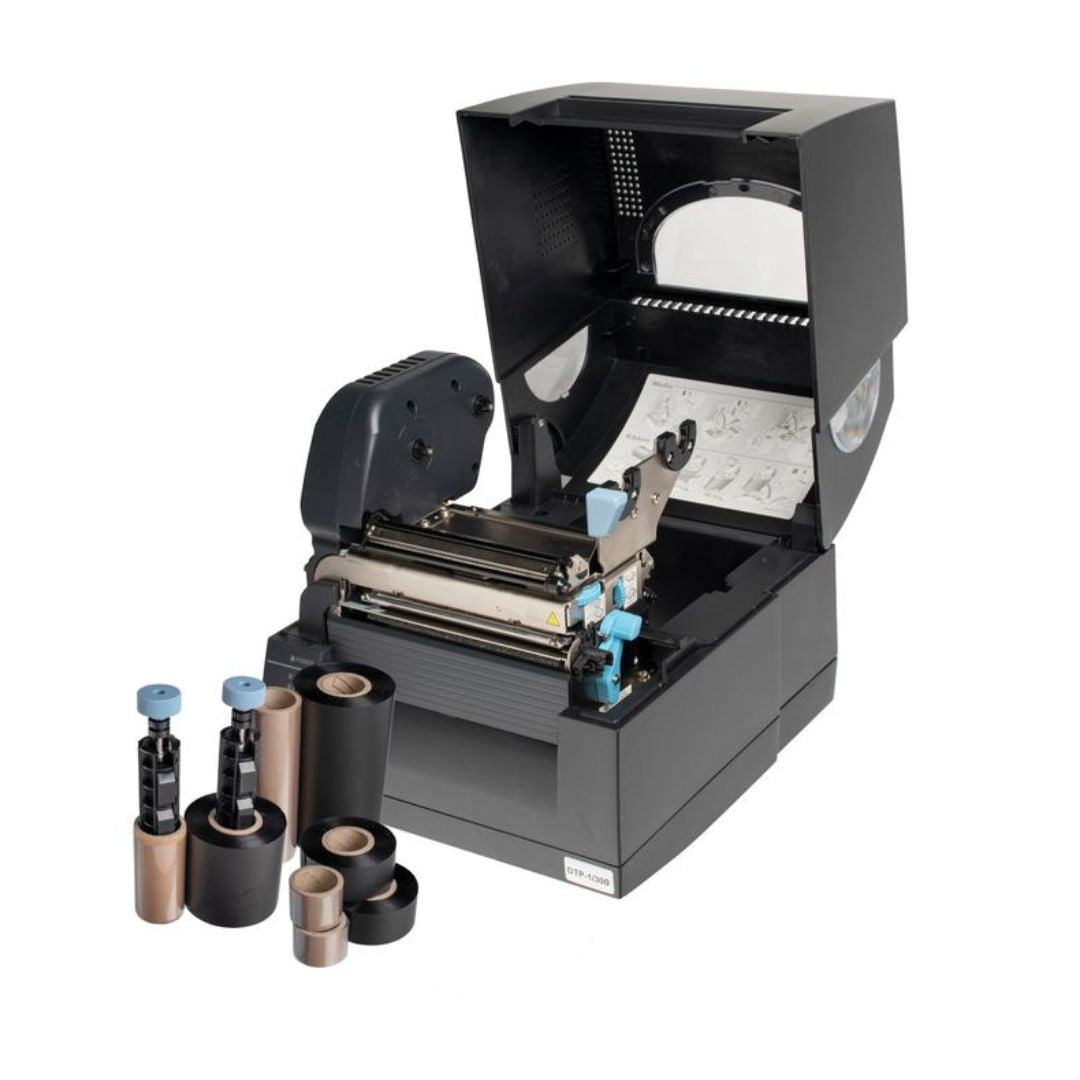
Thermal transfer printing uses a ribbon coated with wax-resin ink that transfers onto labels when heated by the printhead. Each label consumes a portion of the ribbon equal to its length, regardless of how much text or graphics you print on it. A 90mm label uses 90mm of ribbon whether it contains a single cable designation or a full equipment description with barcodes.
This means ribbon consumption varies significantly depending on which labels you print. A project using compact 15mm wire markers will yield dramatically more labels per ribbon than one using 90mm tie-on cable labels. Without calculating this in advance, project managers often find themselves either short of consumables at critical moments or holding far more stock than necessary.
Underestimating ribbon needs
Running out mid-project causes delays, especially on sites where next-day delivery is not possible. Offshore platforms, remote substations, and international projects all face significant lead times for consumables.
Overestimating ribbon needs
Excess stock ties up project budget and storage space. While ribbons have a shelf life of one to two years when stored properly, holding more than necessary reduces capital available for other materials.
For contractors pricing jobs, accurate ribbon estimation directly affects profitability. Underquoting consumables erodes margins, while overquoting can lose competitive tenders. The calculator provides the data you need to quote confidently. For more on planning labelling into your projects from the start, see our guide on why cable labelling should be a priority from day one.
2. Using the Tool
How the Labels Per Ribbon Calculator works
The calculator is designed to be intuitive, guiding you through four steps to determine ribbon requirements for any Fox-in-a-Box® label printing project. Here is how each step works:
-
1
Select your label type
Choose from the full range of Silver Fox® thermal labels including Fox-Flo® tie-on labels, Legend™ heatshrink, Prolab® wrap-around labels, and more. The calculator indicates which label types require guidance system accessories for optimal print quality.
-
2
Select your label size
Once you have chosen a label type, the calculator shows all available sizes and part numbers. Select the specific label you plan to use, and the tool retrieves its exact dimensions for the yield calculation.
-
3
Select your ribbon width
Fox-in-a-Box® Thermal Transfer Ribbons come in three widths: 25mm, 60mm, and 110mm. All are 300m in length. The calculator shows which widths are compatible with your chosen label, helping you select the most cost-effective option.
-
4
Enter your project quantity
Input the total number of labels you need for your project. The calculator divides this by the labels-per-ribbon figure and rounds up to show exactly how many ribbons to order. It also displays spare label capacity.
The results summary shows all your selections at a glance: label type, size, ribbon choice, guidance system requirements, total project quantity, and calculated ribbon needs. This information can be used directly for procurement or included in project specifications.
3. Ribbon Options
Choosing the right ribbon width
Thermal transfer ribbons need to be at least as wide as the labels they print. Using a ribbon that is too narrow leaves part of the label unprinted. However, using an excessively wide ribbon wastes material, since the unused portion simply passes through the printer without contributing to your output.
Silver Fox® offers three ribbon widths specifically to address this. If you are printing labels that are 15mm wide, there is no need to use a 110mm ribbon when the 25mm option works perfectly and costs less per roll. This approach to matching ribbon width to label size reflects Silver Fox®'s commitment to reducing waste and supports their carbon-negative credentials. For a deeper understanding of how thermal transfer ribbons work, see our comprehensive thermal transfer ribbon guide.
25mm Ribbon
Ideal for narrow labels such as small wire markers and compact tie-on labels. Supplied as two 300m rolls per box for convenience.
60mm Ribbon
Suits medium-width labels including standard cable tags, heatshrink sleeves, and many asset labels. Single 300m roll per box.
110mm Ribbon
Covers the widest labels in the range including large equipment labels, wide heatshrink, and pipe identification tape. Single 300m roll.
The calculator automatically filters ribbon options based on your label selection, showing only widths that will work with your chosen labels. This prevents ordering errors and ensures you always select a compatible combination.
4. Real Numbers
Example label yields from a single ribbon
To illustrate how dramatically label dimensions affect ribbon consumption, here are some example yields from a single 300m thermal transfer ribbon. These figures are calculated under ideal conditions with zero waste, which is the baseline the calculator uses.
The variation is substantial. A data centre project requiring 10,000 small wrap-around labels for patch cables might need just one ribbon, while an industrial control panel project with 10,000 larger tie-on labels could require three or four. The calculator removes any guesswork from these estimates.
Reducing ribbon waste
- Use the roll-back calibration function in Labacus Innovator® Advanced and Professional levels to minimise ribbon wastage between print jobs
- Match ribbon width to label width, using narrower ribbons where possible
- Print labels in batches rather than individually to reduce setup waste
5. Practical Planning
Tips for planning your ribbon order
While the calculator provides precise figures based on ideal conditions, real-world printing involves some additional considerations. Here are practical tips for using the calculator results to plan your actual order:
Allow for reprints and spares
Labels occasionally need reprinting due to installation damage, specification changes, or simple human error. A contingency of 5-10% additional labels is standard practice for most projects. Factor this into your quantity before using the calculator, or note that the calculator shows spare label capacity with each ribbon order.
Consider mixed label requirements
Many projects use multiple label types: tie-on labels for cable identification, heatshrink for wire marking, and asset labels for equipment. Run the calculator separately for each label type and size, then combine the ribbon requirements. If different label types use the same ribbon width, you can use the same ribbons across all of them.
Think about future needs
If you are setting up a labelling system for ongoing use rather than a single project, consider your likely annual consumption. Ordering slightly more ribbon now may be more cost-effective than placing multiple smaller orders, especially when factoring in shipping costs. For guidance on selecting the right labels for your environment, see how to choose the right cable labels for your project.
Before placing your order
- Confirm your label type and size from the project specification
- Add contingency for reprints and spares (typically 5-10%)
- Run the calculator for each different label size required
- Check ribbon width compatibility with your labels
- Consider guidance system requirements for your label types
6. Common Questions
Frequently asked questions
How accurate is the calculator?
The calculator provides theoretical yields based on label dimensions and ribbon length under ideal conditions with zero waste. Actual results may vary slightly depending on print coverage, printer settings, and calibration. The figures serve as reliable estimates for project planning and procurement.
What is a guidance system and do I need one?
Some label types require guidance system accessories (LGS3 or LGS4) for consistent print quality and proper label feeding. The calculator indicates which labels need guidance systems when you select them. These accessories help maintain print alignment and prevent label misfeeds.
Can I print two rolls simultaneously?
With 60mm or 110mm ribbons, the Fox-in-a-Box® printer can print two label rolls simultaneously, effectively doubling your output speed. This is particularly useful for high-volume projects with tight deadlines.
Are coloured ribbons available?
Yes. In addition to standard black ribbons, Fox-in-a-Box® thermal transfer ribbons are available in red, blue, and green for colour-coded labelling systems. Contact the Silver Fox® team for availability and pricing on coloured ribbons.
How should I store unused ribbons?
Store ribbons in cool, dry conditions between 10°C and 25°C, at 35-65% relative humidity. Keep them in their original packaging away from direct sunlight. Under proper storage conditions, ribbons remain usable for one to two years.
Next Steps
Ready to plan your labelling project?
The Labels Per Ribbon Calculator is free to use and requires no registration. Whether you are pricing a tender, specifying consumables for a major installation, or simply planning your next order, accurate ribbon estimation helps you work more efficiently and avoid costly surprises.
Try the Labels Per Ribbon Calculator
Calculate exactly how many ribbons you need for your next cable labelling project. Select your labels, enter your quantities, and get instant results.
Use the Calculator | Shop Ribbons
Need help with project planning? Contact our expert team at [email protected] or call +44 (0) 1707 37 37 27.