
Asset Tracking Guide
Printing Your Own Asset Tags: In-House vs Outsourcing
Two routes to labelled assets. One gives you control. The other gives you convenience. Most organisations end up using both.
Once you have decided to tag your assets, the next question is practical: where do the labels come from? You can print them yourself, order them pre-printed to your specification, or do both. Each route has clear advantages depending on your situation, and there is no single right answer.
This guide walks through the options available from Silver Fox®, explains when each approach works best, and helps you decide which combination suits your organisation. Whether you are tagging IT equipment across office sites or labelling industrial machinery on a factory floor, the same decision framework applies.
1. The decision
When does printing your own asset tags make sense?
In-house asset tag printing becomes the better option when any of the following apply: your asset register changes regularly as new equipment arrives, you need tags on short notice rather than waiting for a supplier, your numbering sequences or barcode content change between batches, or you operate across multiple sites where each location needs slightly different label content.
The trade-off is straightforward. In-house printing requires an upfront investment in either a dedicated asset tag printer or compatible label stock for your existing office laser printer. In return, you gain the ability to produce printable asset tags whenever you need them, in whatever quantity, with whatever content, and with no minimum order.
Outsourcing makes more sense when you have a large, one-off tagging project with a fixed specification, when you do not yet have printing equipment, or when you simply prefer to receive finished labels ready to apply. Neither route locks you in. Many organisations start with a pre-printed batch to cover their existing estate, then bring printing in-house for ongoing day-to-day labelling as new devices arrive.
Signs you are ready for in-house printing
- New equipment arrives regularly and needs tagging immediately
- You print more than one type of label (asset tags, cable labels, equipment labels)
- Label content changes between batches (different sites, departments, numbering)
- You need barcodes, QR codes, or sequential numbering on demand
- Waiting days for a supplier order causes delays to your workflow
2. In-house options
Two routes to in-house printing
Silver Fox® supports two distinct in-house printing approaches. The right choice depends on the volume of labels you produce, the range of label types you need, and the environments your labels will face.
Route 1: Laser printing with your office printer
Silver Fox® produces nine laser-printable label types that work with a standard office laser printer. These include Prolab® P/TAG Equipment Labels on pre-cut A4 and A5 sheets, self-laminating wrap-around cable labels, Legend™ Laser Tie-On Cable Labels, fibre optic flag labels, patch panel labels, Legend™ Laser 2-Part System Cable Markers, and Prolab® Patch Wiring Block Labels.
The laser route requires no specialist equipment. If you already have an office laser printer, you can start printing asset tags and cable labels immediately. This makes it the lowest-barrier entry point for organisations that need printable asset tags without investing in dedicated hardware. Design and layout is handled through Labacus Innovator® software, with the Lite tier available free for life.
Route 2: Thermal transfer with Fox-in-a-Box®
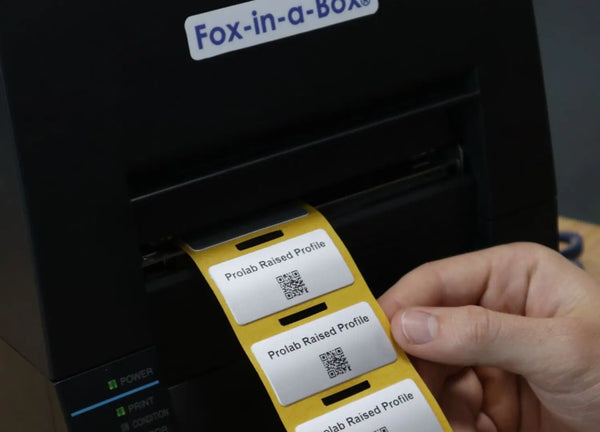
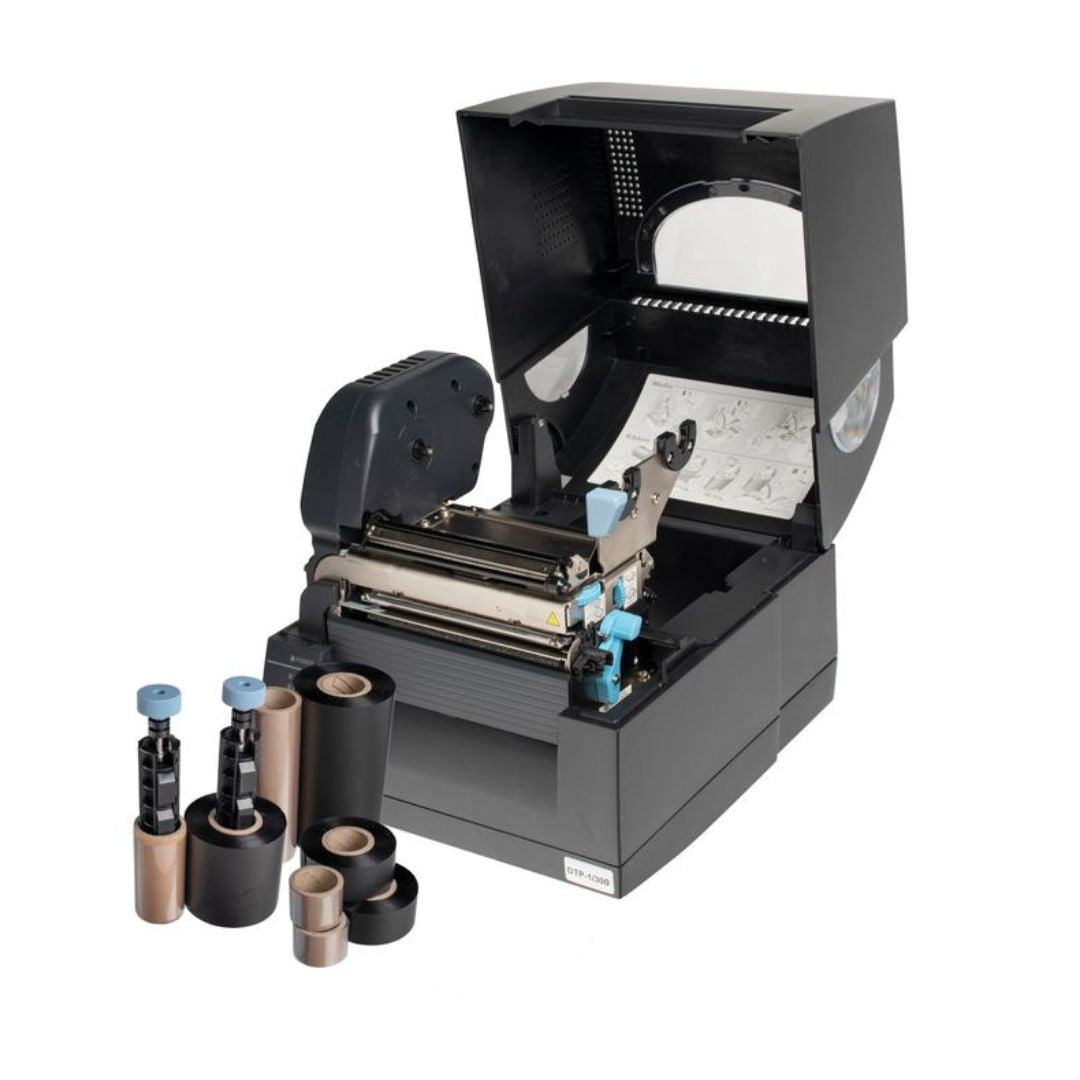
The Fox-in-a-Box® thermal transfer printer opens access to the full Silver Fox® label range. One printer, one ribbon, one software package handles over 200 label variations, from tie-on cable labels and wrap-around markers to the complete Prolab® asset label family: Low Profile, Raised Profile, Clear, and High Performance Tape.
Thermal transfer printing produces labels with superior durability compared to laser. The resin ribbon bonds to the label surface, creating print that is designed to resist abrasion, solvents, and UV exposure. For asset tags that need to survive industrial environments, site use, or outdoor exposure, thermal transfer is the stronger option.
The Labacus Innovator® software drives both routes. At Advanced and Professional tiers, it supports CSV import, Fluke Networks® LinkWare™ Live integration, AEM test data import, sequential numbering, and - at Professional level - barcodes, QR codes, and GS1® Data Matrix codes.
Laser route
No specialist equipment needed. Nine label types through your existing office printer. Ideal for controlled indoor environments, smaller volumes, and organisations getting started with in-house labelling.
Thermal transfer route
Full label range access via Fox-in-a-Box®. Over 200 label variations from a single system. Superior print durability for demanding environments. On-site printing capability for field operations.
3. The outsourcing route
Silver Fox® Pre-Print Service
Not every organisation wants to bring asset tag printing in-house, and that is a perfectly valid choice. The Silver Fox® Pre-Print Service works like this: you provide your asset data, numbering scheme, and any barcode or QR code requirements, and Silver Fox® prints and delivers the finished labels to your specification from the Hertfordshire factory.
The Pre-Print Service is particularly useful in three scenarios. First, large initial rollouts where hundreds or thousands of items need tagging at once. Ordering a pre-printed batch means your team can focus on applying labels rather than producing them. Second, organisations that do not yet have a Fox-in-a-Box® system and want professionally produced labels without an equipment investment. Third, one-off projects with a fixed specification where the content will not change.
Because Silver Fox® manufactures all labels at its UK factory, the Pre-Print Service uses exactly the same materials and print quality as in-house Fox-in-a-Box® output. The labels are identical - the only difference is who operates the printer.
Common combination approach
- Pre-Print Service for the initial rollout (tag the existing estate in one batch)
- Fox-in-a-Box® on-site for ongoing labelling as new equipment arrives
- Laser labels through the office printer for general equipment in controlled environments
4. Side by side
Comparing in-house and outsourced asset tag printing
The decision between in-house and outsourced asset tag printing is rarely about which is better in absolute terms. It depends on how your organisation uses labels day to day.
Speed and turnaround
In-house printing gives you labels in minutes. A Fox-in-a-Box® system prints at 100mm per second, meaning a batch of asset tags can be ready and applied the same day a new piece of equipment arrives. With the Pre-Print Service, turnaround depends on order complexity and quantity, but you are working to a delivery schedule rather than printing on demand.
Design flexibility
If your label content changes frequently - different numbering for different sites, updated QR code destinations, revised company branding - in-house printing lets you make those changes instantly. With outsourced printing, each design change requires a new order. For fixed-content labels that stay the same across thousands of items, this distinction matters less.
Material range
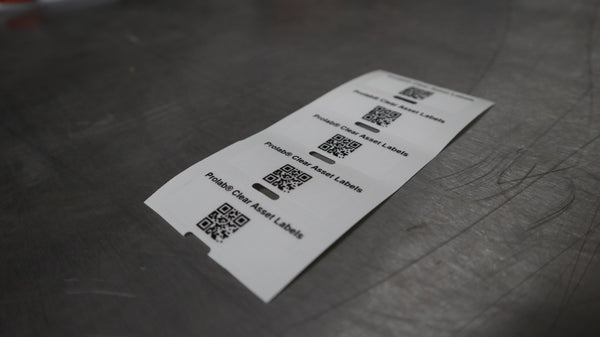
The laser route gives you access to nine label types suitable for indoor and light-duty use. Fox-in-a-Box® thermal transfer opens the full range, including Raised Profile labels designed for demanding environments where standard adhesive labels may not maintain long-term adhesion. The Pre-Print Service can produce on any material in the Silver Fox® range, so outsourcing does not limit your material options.
Barcode and QR code capability
Both routes support barcodes, QR codes, and GS1® Data Matrix encoding. In-house printing requires Labacus Innovator® Professional, which generates all code types directly within the software. For the Pre-Print Service, you supply the data and Silver Fox® handles the encoding. As explained in our guide to barcodes and QR codes on labels, choosing the right code type depends on the amount of data you need to encode and whether smartphone scanning is a requirement.

Silver Fox® holds GS1® UK Approved status, meaning labels produced through both the Fox-in-a-Box® system and the Pre-Print Service meet GS1® standards for barcode and Data Matrix encoding.
Beyond asset tags
One advantage of bringing printing in-house is that the same equipment handles more than just asset tags. A Fox-in-a-Box® system that prints Prolab® Raised Profile asset labels also prints cable tie tags, wrap-around markers, heatshrink, valve tags, and equipment labels. The investment serves multiple labelling needs across the organisation, not just asset tracking. As covered in our guide to choosing an industrial label printer, the economics improve significantly when the same system replaces multiple labelling workflows.
In-house wins when
Label content changes often, new assets arrive regularly, you need tags within minutes, or you also print cable labels and equipment markers.
Pre-Print wins when
You have a large fixed-spec rollout, you do not yet have printing equipment, or you prefer finished labels delivered ready to apply.
Both together
Pre-printed batch for the existing estate, Fox-in-a-Box® on-site for ongoing tagging. The most common pattern across Silver Fox® customers.
5. FAQ
Common questions about printing asset tags
What is the best label printer for asset tagging?
For organisations that need to print asset labels alongside cable markers and equipment labels, Fox-in-a-Box® is designed specifically for industrial labelling. It handles the full Silver Fox® label range from a single system. For lower-volume asset tagging in office environments, a standard laser printer with Prolab® P/TAG Equipment Labels on A4 or A5 sheets is a practical starting point.
Can I print QR code asset tags in-house?
Yes. Labacus Innovator® Professional generates QR codes, barcodes, and GS1® Data Matrix codes directly within the software. These print on both laser and thermal label stock. At Professional level, you can also import asset data from spreadsheets and generate sequential numbering automatically.
How do I asset tag equipment across multiple sites?
Two practical approaches work well. Either centralise printing at head office and distribute finished labels to each site, or place a Fox-in-a-Box® at each main location so site teams can print on demand. Many organisations use the Pre-Print Service for the initial rollout across all sites, then keep a Fox-in-a-Box® at the busiest locations for ongoing tagging.
Are there asset tagging companies that handle the whole process?
Silver Fox® offers the Pre-Print Service as a complete print-and-deliver solution. You supply your asset data and numbering scheme, and Silver Fox® produces finished labels at its Hertfordshire factory to your exact specification. For organisations that need help designing their asset tagging system, the Silver Fox® sales team can advise on material selection, label sizing, and code type choices.
Do I need different labels for indoor and outdoor assets?
Generally, yes. Indoor assets in controlled environments can use laser-printed P/TAG Equipment Labels or Prolab® Low Profile labels. Assets exposed to weather, UV, chemicals, or heavy handling benefit from Prolab® Raised Profile labels or a Clear label applied over Raised Profile as a protective lamination layer. The IT equipment labelling guide explains the escalation ladder in detail.
Next steps
Start printing asset tags your way
Ready to tag your assets?
Whether you want to print in-house with Fox-in-a-Box®, start with laser-printable labels through your existing office printer, or have Silver Fox® produce a pre-printed batch to your specification, our team can help you find the right combination for your organisation.
Contact us at [email protected] or call +44 (0) 1707 37 37 27.

Silver Fox® offers a CPD-accredited training course covering barcodes in engineering, label design, and best practice for asset identification. Whether your team is new to in-house printing or looking to get more from an existing system, the course is a practical way to build confidence. Find out more about CPD training.