
Industry Guide
Barcodes and QR Codes on Cable and Equipment Labels
When to use barcodes, when to use QR codes, minimum label sizes for reliable scanning, and how to integrate coded labels into your asset management workflow.
Adding a scannable code to a cable label or equipment tag transforms it from a passive identifier into an active link to your asset management system. A technician scanning a QR code on a cable label can pull up the full cable schedule, test results, installation date, and maintenance history in seconds rather than cross-referencing paper documentation or searching a database by text.
This guide covers the practical considerations for implementing QR tagging and barcode labels on cable and equipment identification in industrial, data centre, and infrastructure environments.
1. The basics
Barcode vs QR code: which to use
One-dimensional (1D) barcodes and two-dimensional (2D) QR codes both encode data that a scanner or smartphone camera can read. The difference is in capacity, scanning flexibility, and physical size requirements.
1D barcodes
Encode data in a single row of lines. Suitable for short identifiers such as asset numbers or serial codes. Require line-of-sight scanning at a specific angle. Work well on flat, wide labels where horizontal space is available but height is limited.
QR codes
Encode data in a two-dimensional grid. Hold significantly more information, including URLs, serial numbers, and structured data. Scan from any angle and tolerate partial damage thanks to built-in error correction. Better suited to small labels and curved surfaces.
For cable labels, QR codes are generally the stronger choice. They occupy a roughly square footprint that fits within typical label dimensions, they scan reliably on curved cable surfaces, and they can encode a URL that links directly to the asset record. For equipment labels on flat surfaces where horizontal space is plentiful, 1D barcodes remain a practical option, particularly if your existing scanning infrastructure already uses barcode readers.
GS1® Data Matrix is a standardised 2D format widely used in industrial applications. It follows the GS1® specification for encoding serial numbers, batch codes, and asset identifiers in a compact format that is readable by most industrial and smartphone scanners. The Professional level of Labacus Innovator® supports GS1® Data Matrix generation natively.

GS1® Data Matrix is the global standard for serialised asset identification. Labacus Innovator® generates GS1®-compliant codes ready for printing on any Silver Fox® label format.
2. Sizing
Minimum label sizes for reliable scanning
A QR code that is too small will not scan reliably, especially in poor lighting, at an angle, or when the label has accumulated dust. The minimum practical size depends on the data encoded (more data means a denser pattern requiring a larger print area), the scanning device (smartphone cameras are less forgiving than dedicated scanners), and the print resolution.
As a general guideline, a QR code encoding a short URL or asset ID should be printed at a minimum of 10mm x 10mm. At 15mm x 15mm, scanning becomes reliable even in less-than-ideal conditions. For 1D barcodes, allow at least 25mm of horizontal width plus quiet zones (blank space) on either side.
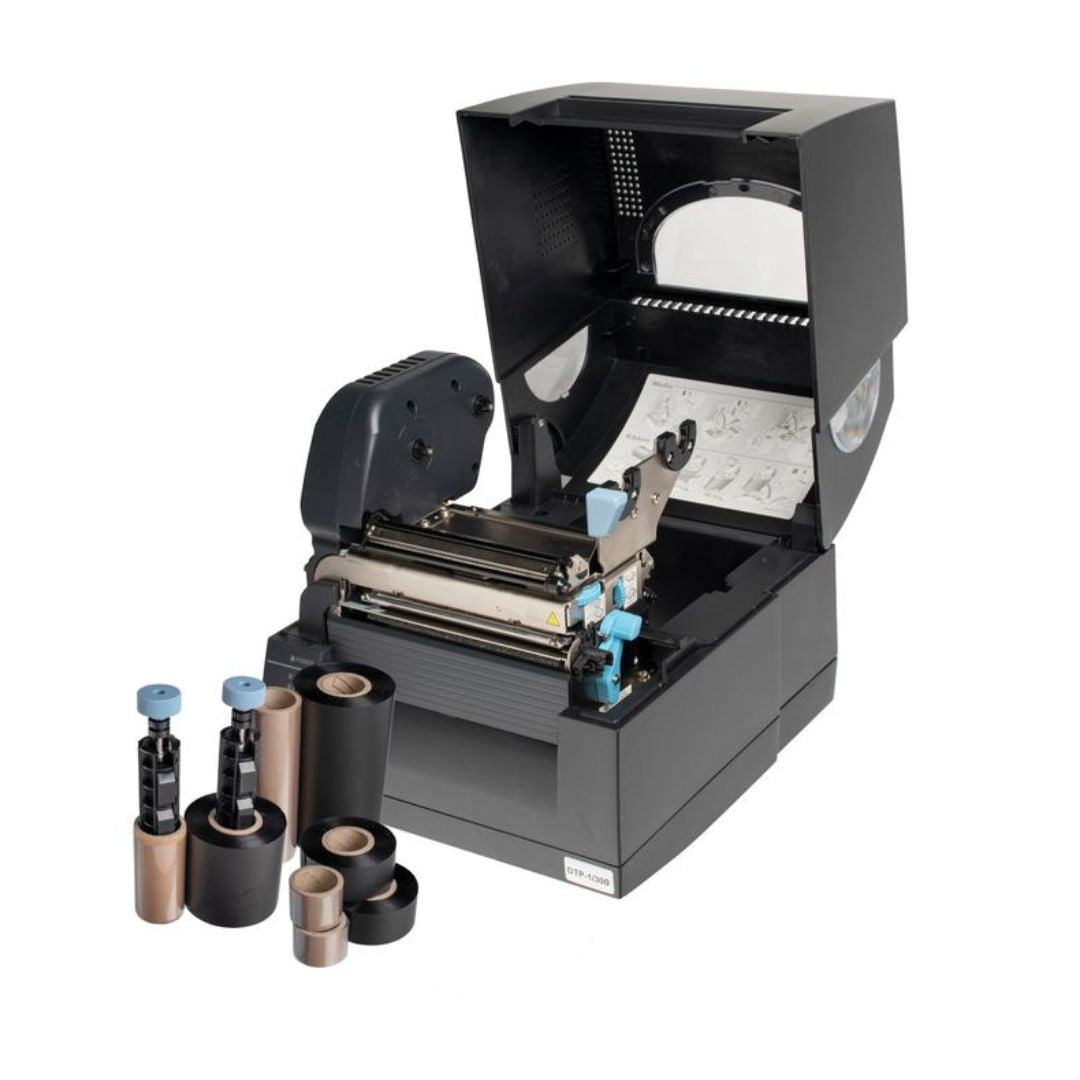
The Fox-in-a-Box® thermal transfer printer produces codes at 300 DPI, which is sufficient for reliable scanning at these sizes. Laser printing on Prolab® labels also produces scannable codes, though thermal transfer typically gives sharper edges on very small codes.
3. Cable labels
QR codes on curved cable surfaces
Scanning a QR code on a cable is different from scanning one on a flat equipment panel. The curvature of the cable distorts the code pattern, and the available label area on smaller cables limits how large the code can be.
In practice, QR codes scan reliably on cables from around 8mm outer diameter upward when using wrap-around labels. On smaller cables, flag-style labels provide a flat surface for the code. Prolab® Laser Fibre Optic Flag Labels are designed for this purpose on thin fibre patch cords.
Self-laminating wrap-around labels place the code beneath a clear protective overlay. This protects the code from abrasion and handling damage. The laminate does not prevent scanning provided it uses a matte or semi-matte finish rather than a high-gloss surface, which can create reflections that interfere with camera-based scanners. For a detailed look at how wrap-around labels work and how to size them correctly, see our guide to wrap-around cable labels.
For tie-on cable labels, QR codes can be printed on the tag face. Fox-Flo® tie-on labels offer a flat print area that avoids the curvature issue entirely, making them a practical choice where QR scanning is a primary requirement and the cable route can accommodate the tag profile.
4. Equipment
QR code asset tags for equipment
Equipment labels have more space to work with and sit on flat surfaces, making both barcodes and QR codes straightforward to implement. The question is less about whether a code will scan and more about what it should link to.
Common approaches include linking to a fixed URL in your asset management system, encoding the asset ID directly so the scanner app can look it up, or using a GS1® Data Matrix that follows the global standard for asset identification. The right approach depends on whether your team uses smartphones, dedicated scanners, or both.
URL link
QR code contains a web address pointing to the asset record. Any smartphone can scan it. Requires internet access in the field.
Asset ID only
QR code encodes a serial number. The scanning app looks up the record locally. Works offline but requires a dedicated app.
GS1® Data Matrix
Industry-standard format encoding serial number, batch, and location data. Interoperable across organisations and supply chains.
For durable QR asset tags on equipment, Prolab® Raised Profile Labels provide a polyester face on a foam carrier with 3M permanent acrylic adhesive, giving the code a flat, protected surface that withstands abrasion and handling. For environments requiring the highest resilience, engraved QR codes on stainless steel or aluminium tags provide long-lasting identification designed to resist wear and abrasion, though engraving is better suited to simple codes with limited data.
5. Workflow
Printing barcode labels and QR code labels in-house
Both the Fox-in-a-Box® thermal transfer system and standard office laser printers can produce scannable barcodes and QR codes. The choice depends on volume, environment, and how the labels will be used.
Thermal transfer printing through Fox-in-a-Box® is the better route for cable labels where print durability matters, for serialised labels where each one is unique, and for on-site printing where a laptop and portable printer can produce labels at the point of installation. The resin ribbon bonds the code into the label surface, making it resistant to abrasion and chemicals.
Laser printing on Prolab® sheets is well suited to batch production of equipment labels and asset tags, especially when producing large quantities of labels from a spreadsheet import. The Professional level of Labacus Innovator® supports barcode generation, QR code generation, GS1® Data Matrix, and full spreadsheet import for serialised production runs. For guidance on labelling structured cabling and data centre infrastructure specifically, our guide to labelling ethernet cables, network cables, and data centres covers the full workflow.
For a practical example of how QR-coded asset labels replace manual patrol systems, see our case study on QR code asset tags.

For teams implementing barcode or QR-coded labelling for the first time, Silver Fox® offers a CPD-accredited training course on barcodes in engineering. The course covers barcode symbologies, QR codes, GS1® Data Matrix, and practical application across sectors including rail, power, oil and gas, and data centres.
FAQ
Common questions about coded labels
Barcode vs QR code: which is better for cable labels?
QR codes are generally better for cable labels because they fit a square footprint (matching typical label dimensions), tolerate curvature, and scan from any angle. Barcodes work well on flat equipment labels where horizontal space is available.
What is the minimum size for a scannable QR label?
A QR code encoding a short identifier should be at least 10mm x 10mm. For reliable scanning in field conditions with a smartphone, 15mm x 15mm is recommended. More data in the code requires a larger print area.
Does lamination interfere with barcode or QR scanning?
Matte and semi-matte laminate overlays do not interfere with scanning. High-gloss laminate can create reflections that cause scanning failures with camera-based readers, particularly under direct lighting. Self-laminating wrap-around labels from Silver Fox® use a matte clear overlay that maintains scannability.
Can I scan QR codes in low-light environments?
Most modern smartphone cameras include a flash that provides sufficient illumination for QR scanning. Dedicated industrial scanners often include their own light source. High-contrast labels (dark code on a white or light background) scan more reliably in poor lighting than low-contrast combinations.
Will QR codes remain scannable on textured enclosures?
The QR code is printed on the label, not on the enclosure surface. Provided the label itself is flat and the code is printed at sufficient resolution, the texture of the underlying surface does not affect scannability. If the enclosure surface is heavily textured, using a label with a foam carrier such as Prolab® Raised Profile Labels helps the label sit flat despite surface irregularities.
Next steps
Start scanning, not searching
Ready to add QR codes to your labelling workflow?
Silver Fox® provides the complete system: Labacus Innovator® software for QR generation and spreadsheet import, Fox-in-a-Box® for durable thermal transfer printing, and the full range of cable and equipment label materials to suit any environment.
Want to upskill your team? Our CPD-accredited training course covers barcodes, QR codes, and Data Matrix implementation for engineering applications.
Contact us at [email protected] or call +44 (0) 1707 37 22 22.
References
GS1 (2024) GS1 DataMatrix Guideline. Available at: gs1.org [Accessed 23 March 2026].
ISO (2015) ISO/IEC 18004: Information technology - Automatic identification and data capture techniques - QR Code bar code symbology specification. International Organization for Standardization.