
System Guide
Why One Software, One Printer, One Ribbon Wins
The hidden cost of a piecemeal labelling stack, and what changes when a single integrated system replaces it.
Ask any engineer who has taken over a mature site and they will tell you the same thing: the labelling stack rarely looks designed. It looks accumulated. One printer for heat shrink. A different printer for wrap-arounds. A handheld for quick fixes. Four software packages, none of them talking to each other. A stores cupboard full of ribbons that only fit one machine each, half of them expired.
That accumulation is the real cost of a piecemeal approach to industrial labelling. Each addition looked sensible on its own. Together, they create a system nobody designed and nobody owns.
This guide sets out what a single-system approach replaces, where it fits best, and what to evaluate when comparing a consolidated labelling setup to a piecemeal one.
1. The problem
What a piecemeal labelling stack looks like
A piecemeal labelling stack usually grows one decision at a time. A project needs heat shrink markers, so the team buys a thermal transfer printer that handles shrink tubing. Another project needs self-laminating wraps, so a second printer arrives for that format. Someone at head office buys a desktop unit to do quick equipment labels, and a handheld joins the toolkit for field work.
By the time the pattern is visible, the organisation is running:
- Three or four different printers, each with its own power supply, driver set, and consumables.
- Two or three software packages, none of which share templates, data imports, or keyboard shortcuts.
- A ribbon stockroom where the wrong SKU on the wrong machine wastes half a shift.
- Engineers who are trained on one setup and uncertain on the others.
- Support contacts spread across multiple vendors, each pointing to the other when something fails.
None of these costs shows up on a single invoice. They show up as time: in training, in stock management, in the extra hour a site engineer spends figuring out why the heat shrink printer will not talk to the wrap-around software.
2. The cost
Five hidden costs of running a multi-vendor stack
Buying a second printer is an obvious line item. The five costs below are not, and they compound quietly over the life of the equipment.
Adoption time
Every new printer and software combination adds hours or days to the point where the team can actually produce consistent labels. Training has to be scheduled, templates rebuilt, and site-specific conventions reapplied. A single system removes most of that repetition because the interface, the templates, and the consumables stay the same.
Training portability
When engineers move between projects or teams, what they already know has to transfer. On a single-system setup, a technician trained on tie-on labels is already trained on heat shrink, wrap-around, and equipment labels. On a multi-vendor stack, each label type is effectively a new skill to refresh.
Stock management
Different printers take different ribbons. Different ribbons have different shelf lives. A stockroom that holds six or eight active ribbon SKUs is inherently harder to manage than one that holds a single universal ribbon. The invisible cost is the ribbon that was ordered for a project, never used, and quietly expired on the shelf.
Standardisation drift
When teams print on different systems, small inconsistencies creep in. Character spacing differs. Print density varies. Layout templates drift. On a shared site where labels from several sub-contractors end up on the same cables, the inconsistency becomes the reader's problem. For more on this governance angle, our guide to standardising cable labelling across teams goes deeper.
Support friction
Multiple suppliers mean multiple support contracts, multiple contact routes, and a predictable moment where the printer vendor blames the software vendor and the ribbon is out of scope for both. A consolidated system puts the whole stack under one support relationship.
3. The alternative
What a single labelling system actually replaces
A single industrial labelling system consolidates three decisions into one purchase: the design software, the printer, and the consumables. Once those three are matched by the manufacturer, the label types they collectively produce become a straightforward matter of loading the right media.
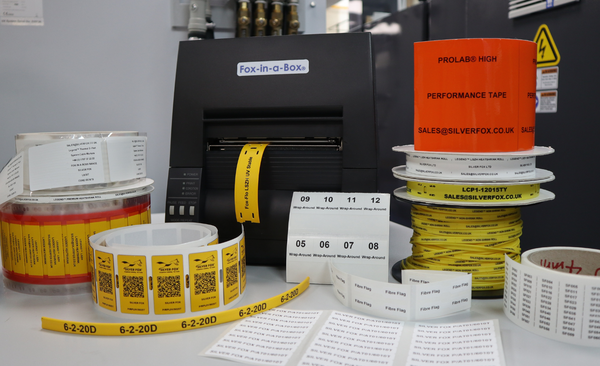
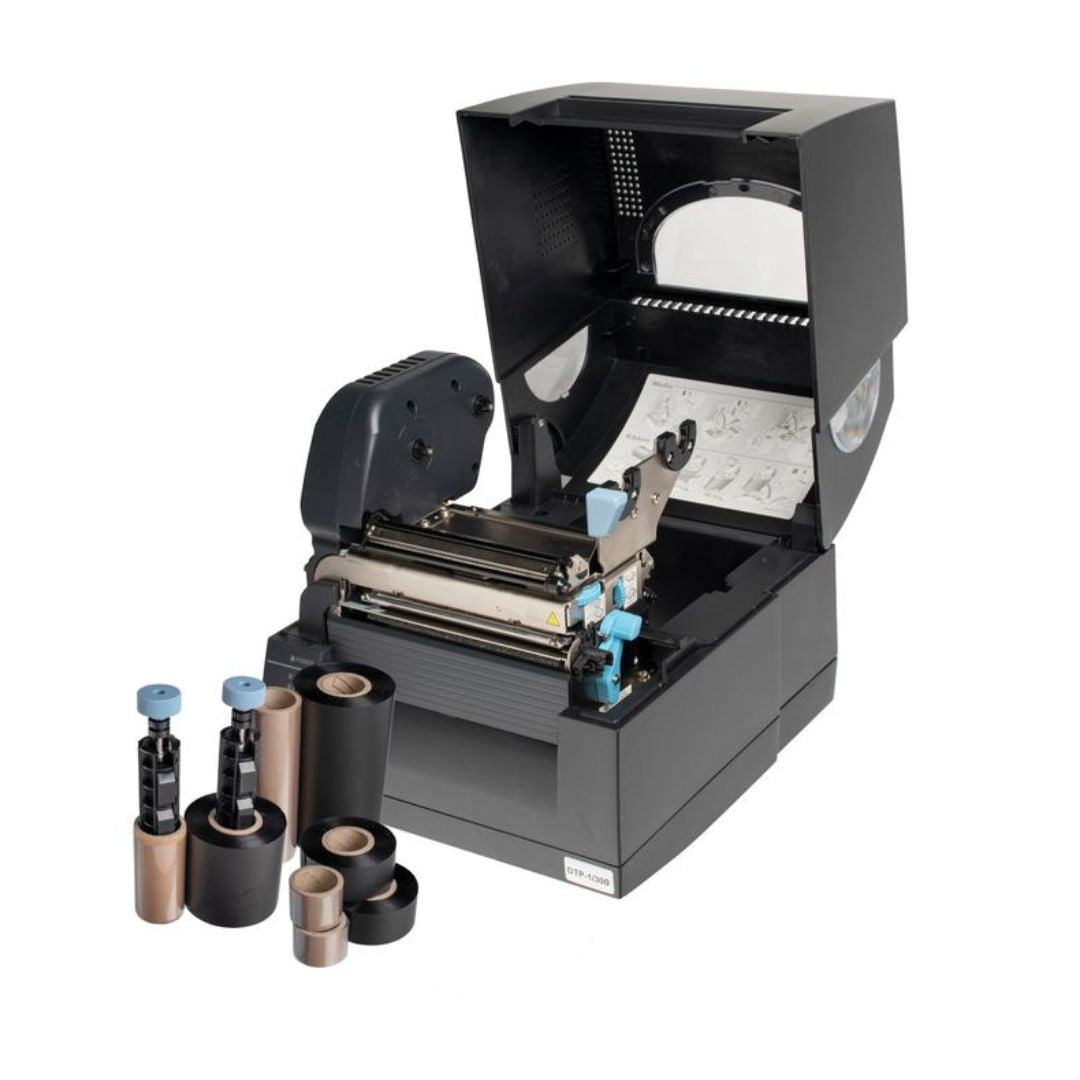
The Fox-in-a-Box® thermal transfer printer is designed around this principle. One software, one printer, one ribbon produces 200+ label variations, including Fox-Flo® LSZH tie-on labels, Legend™ heat shrink markers, Prolab® wrap-around cable labels, patch panel labels, and equipment tags. Switching between formats is a matter of swapping the label cartridge, not changing machines.


Labacus Innovator®
Silver Fox®'s label design software handles everything from simple sequential numbering to full spreadsheet imports, barcodes, QR codes, and GS1® Data Matrix encoding. Available in three tiers, with free lifetime updates and support.
The practical effect is that the three decisions most often made separately - which software, which printer, which ribbon - are collapsed into a single purchase decision with a single training path, a single support contact, and a single stock item for consumables.
What the breadth of 200+ label types looks like in practice
On a typical installation, the same system moves across:
- Tie-on cable labels for general identification, including UV-stable LSZH tie-ons for rail, marine, and enclosed environments.
- Heat shrink markers for wires that will be terminated or pulled through conduit.
- Self-laminating wrap-around labels for cables that need a printed ID with a protective clear tail.
- Patch panel and port identification labels for data cabinets.
- Equipment and asset tags for panels, racks, and field equipment.
- Valve tags and pipe identification on related projects.
The same operator, the same software, and the same ribbon produce all of these. The only thing that changes is the label media loaded into the printer.
4. Honest limits
When a single system is not the right answer
A consolidated labelling system suits most contractors, installers, facilities teams, and panel builders. It does not suit every use case. The honest answer on where to consolidate and where to keep a specialist machine comes down to three questions.
Is there a label type outside the system's range?
If a project requires a highly specialised label - a bespoke engraved plate, an ink-jet variable marking, or a format not supported by the chosen system - a dedicated tool is the right answer for that specific job. A single system does not mean a single machine covers every edge case. It means the day-to-day production of cable, equipment, and panel labels happens on one integrated setup.
Is the volume industrial-scale continuous production?
Very high-volume harness manufacturing and automated production lines may justify specialist print-and-apply equipment. That is a different buying problem from the site, contractor, and facilities labelling most organisations do day to day. The single-system framing in this guide applies to the second group, which is the majority of industrial labelling use.
Is the existing setup already working well?
If an existing printer and software are producing consistent labels that meet the project's durability and compliance requirements, consolidation is a future-state conversation rather than an immediate replacement. The time to revisit the labelling stack is usually at the next printer refresh, a change of site, or a new project with different label type requirements.
5. How to evaluate
Five things to check when comparing labelling systems
The following five points are the ones that most often distinguish a genuinely integrated system from a bundle of separate parts sold together.
System evaluation checklist
- Label-type coverage. Count the label types the system supports from a single printer. Tie-on, wrap-around, heat shrink, equipment, patch panel - how many of these are handled without changing machines?
- Consumables model. Is there a universal ribbon that works across the full label range, or separate ribbons for each label type? A single ribbon simplifies stock and reduces the risk of expired consumables.
- Software relationship with the printer. Was the design software built for the printer, or is it a third-party tool with a driver? A software and printer designed together reduces compatibility issues and formatting surprises.
- Support and training model. Who is responsible when something goes wrong? A single manufacturer offering lifetime support across printer, software, and consumables is a materially different commitment from a bundle of separate warranties.
- Data import path. Can the software import a cable schedule from Excel or CSV without rekeying? For teams coming from structured cabling test platforms, can test results flow into label design directly?

Fluke Networks® Integration
Labacus Innovator® integrates with Fluke Networks® LinkWare™ Live, importing cable test results directly into label designs. This eliminates manual data entry for structured cabling projects, reducing errors and connecting physical labels to digital test documentation.
For a deeper look at software-level evaluation, our guide to what to look for in a labelling platform covers the design software criteria in more detail. On the commercial side, the ROI of professional cable labelling sets out how the time savings translate into project economics.
FAQ
Common questions about single-system labelling
Is a single labelling system always cheaper overall?
The upfront figure varies by specification. What consistently changes with consolidation is the operating overhead: one training path, one support contact, one ribbon SKU, one software licence. Organisations running several sites or project teams usually find the operating-overhead saving is where the real difference sits, not the headline hardware line.
What happens to existing label templates if we switch?
Established templates do not have to be rebuilt from scratch. Labacus Innovator® imports cable schedules and label data from Excel and CSV files, which are the universal export format for most labelling software. Existing data layouts transfer; the visual template is rebuilt once and then locked for reuse.
Can the same system handle both office and field work?
Fox-in-a-Box® is designed for desktop use with a Windows laptop or PC. It is compact enough to move between office and site with a carry case option. For genuinely handheld field labelling - short ad-hoc runs away from a mains-powered workstation - a handheld device is a supplementary tool for that specific task, not a replacement for the batch production setup.
Does consolidating on one system mean one supplier risk?
It means one primary supplier relationship. The counterpoint is that multi-vendor setups distribute the risk but also distribute the responsibility. When a labelling issue arises on a multi-vendor stack, the question of which vendor owns the fix is rarely clear. A single-system arrangement puts accountability in one place.
What label types are outside the Fox-in-a-Box® range?
The system handles thermal transfer label types. Engraved identification plates - such as Endurance® Traffolyte labels and brass valve tags - are produced by a separate engraving process and supplied through Silver Fox®'s engraving service rather than printed on Fox-in-a-Box®. Bespoke pipe identification tape with colour banding is also factory-produced rather than desktop-printed.
Next steps
Talk to us about consolidating your labelling stack
One software, one printer, one ribbon
If you are running a labelling stack that has accumulated over several projects, it may be worth looking at what a consolidated system would replace. We will walk you through the Fox-in-a-Box® range, the label types it covers, and the training and support that comes with it.
Contact us at [email protected] or call +44 (0) 1707 37 37 27.