
Case Study
How Mercury Transformed Data Centre Cable Labelling with Fox-in-a-Box®
A major European engineering contractor needed to label thousands of cables and patch panels across a large-scale data centre build. Here is how they did it, and the lessons any project team can apply.
Large-scale data centre projects involve thousands of cable labels, patch panel identifiers, and equipment tags - all of which must be accurate, legible, and consistent. For project teams under tight deadlines, cable labelling can quickly become a bottleneck if the process relies on manual entry, multiple printers, or outsourced engraving. Mercury, a major European engineering and construction firm, faced exactly this challenge on a recent data centre build. Their solution offers practical insights for anyone managing cable identification at scale.
1. The challenge
Why Data Centre Cable Labelling Is So Demanding
Data centres are among the most demanding environments for cable identification. The sheer volume of cables - often running into tens of thousands across server racks, patch panels, and power distribution units - means that every label must be accurate the first time. A single mislabelled cable can cause connectivity issues, extend commissioning timelines, and create costly downtime once the facility is operational.
Mercury's project team identified several pain points that are common across the industry:
Manual Data Entry Errors
With thousands of unique cable identifiers, typing each one by hand created a high risk of transcription mistakes. Even a small error rate across tens of thousands of labels compounds into hours of troubleshooting during commissioning.
Patch Panel Complexity
Different patch panel brands use different port spacing and layouts. Producing perfectly aligned labels for 24-port and 48-port panels required precise measurements that were difficult to achieve with generic labelling methods.
Multiple Labelling Systems
Using separate printers for cable labels, patch panels, and equipment tags meant managing different software, consumables, and workflows - adding complexity and slowing teams down.
Outsourced Label Production
Relying on external suppliers for labels introduced delays. Design changes, corrections, and last-minute additions all had to go through a procurement chain rather than being handled instantly on-site.
These challenges are not unique to Mercury. Any engineering team working on structured cabling installations, whether in data centres, commercial buildings, or telecoms infrastructure, will recognise these frustrations. The question is how to solve them without adding cost or complexity.
2. The solution
One Printer, One Software, Every Label Type
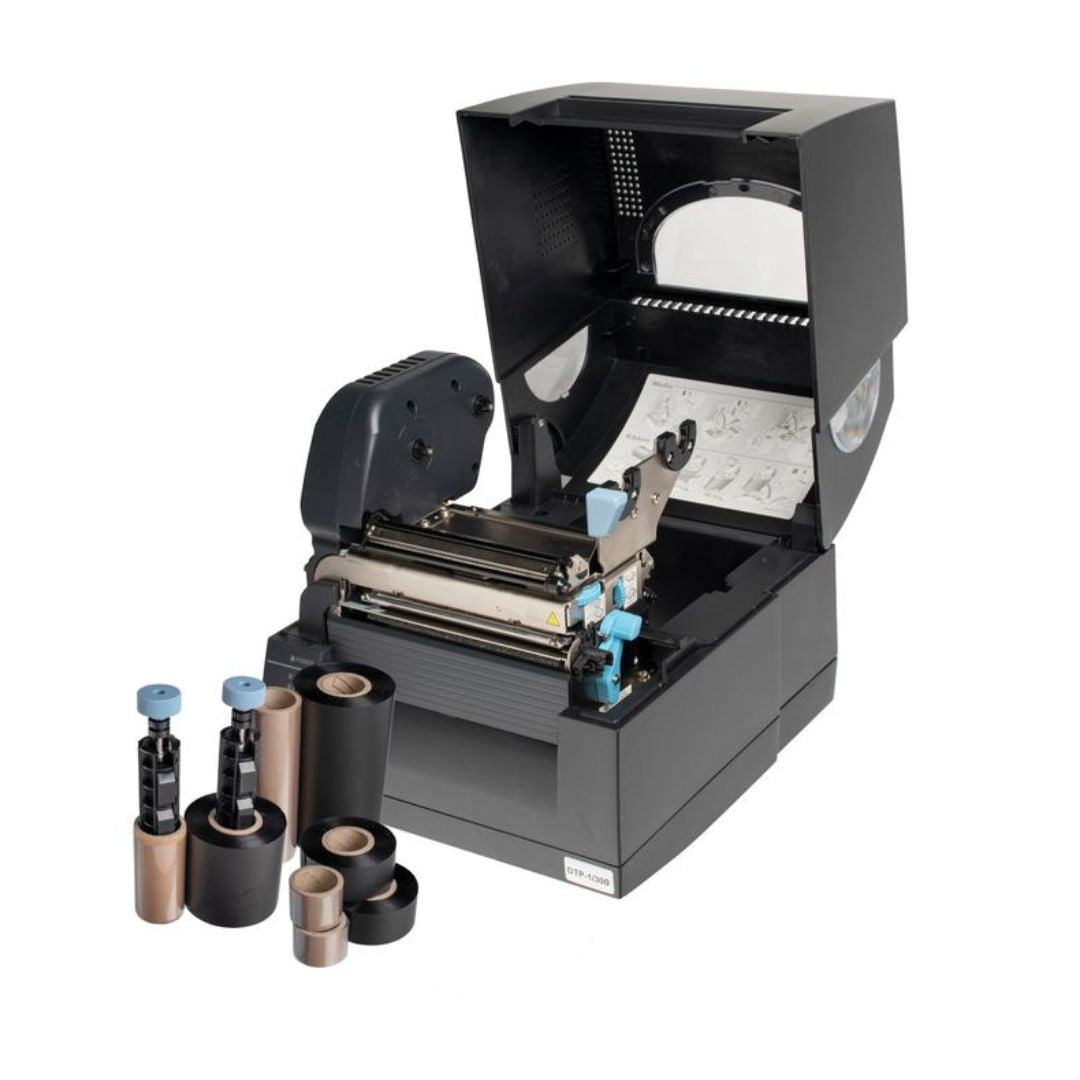
Mercury adopted the Fox-in-a-Box® industrial cable label printer as their single labelling platform for the entire project. The system combines the DTP-1 thermal transfer printer, Labacus Innovator® software, and over 200 compatible label types into one compact, portable kit.
Rather than managing separate tools for cable labels, patch panels, and equipment identification, the team was able to handle every labelling requirement through a single workflow. The key capability that made this possible was the system's integration between software, printer, and label materials - all designed to work together from the outset.
Watch: How Fox-in-a-Box® and the Patch Panel Module helped Mercury save time and resources on a data centre build.
Spreadsheet Import: Eliminating Manual Entry
One of the biggest efficiency gains came from the Labacus Innovator® software's ability to import cable schedules directly from spreadsheets. Mercury's engineers had their cable IDs, circuit references, and panel assignments already defined in project documentation. Instead of retyping each identifier, they imported the data directly into the labelling software, which then generated the correct labels automatically.
This approach removed the risk of transcription errors at the source. When the data in the spreadsheet matched the project's design documentation, the labels matched too - ensuring complete traceability from design through to installation.
The Patch Panel Module
For patch panel labelling, Mercury used the dedicated Patch Panel Module within Labacus Innovator®. This feature allows engineers to define the exact dimensions and port layout of any patch panel, regardless of manufacturer, and then print a single aligned strip of labels that fits perfectly.
Instead of measuring, cutting, and applying individual labels to each port (a process that is both slow and prone to alignment errors), the team printed complete label strips. At a print speed of 100mm per second, the system can produce labels for up to 60 panels in a single minute. For a project with hundreds of patch panels, the time savings were substantial.
3. On-site workflow
How the Team Used the System Day-to-Day
In the second part of this case study, Mercury's site engineer Stephen walks through the practical, day-to-day workflow the team followed on the data centre project - from importing data to applying finished labels.
Watch: Stephen from Mercury explains the on-site cable labelling workflow and the practical gains achieved.
-
1
Import cable schedule
The project's master cable schedule was imported from Excel into Labacus Innovator®, automatically populating cable IDs and panel references. This eliminated manual typing across thousands of entries.
-
2
Configure label templates
Templates were set up for each label type: Fox-Flo® tie-on cable labels for the main cable runs, and Prolab® Patch Panel Labels for the structured cabling. Templates were saved for reuse, ensuring consistency across shifts and teams.
-
3
Print on demand
The Fox-in-a-Box® kit was set up as a portable labelling station directly on the construction site. Because thermal transfer printing requires no drying time, labels were ready to apply the moment they were printed.
-
4
Apply and verify
Technicians applied cable labels and patch panel strips as each section was cabled. The software's preview feature meant misprints were caught before they happened, reducing waste to near zero.
Stephen highlighted the portability of the system as a significant practical advantage. The entire kit fits on a desk or workbench, and can be moved wherever it is needed on-site. There was no need to send label requests to an office or external supplier - the team had full control over their cable labelling from start to finish.
4. Results
Measurable Gains in Time and Accuracy
The shift from manual labelling methods to the Fox-in-a-Box® system delivered several measurable improvements across Mercury's project:
Labour Reduction
Tasks that previously required two people for an entire day were completed by one person in a fraction of the time, significantly reducing man-hours on-site.
Zero Waste Printing
The software's preview function and direct data import meant the team stopped producing misprinted or incorrectly sized labels, eliminating consumable waste.
Consistent Standards
Saved templates and imported data ensured every cable label and patch panel strip was identical in format, regardless of which team member printed it.
Beyond the direct time savings, the team noted that having a single cable label printer for all label types simplified training, reduced the number of consumables to manage, and made it easier to maintain labelling standards across different teams and shifts on the same project.
Key Takeaways for Project Teams
- Import cable schedules from spreadsheets to eliminate manual data entry errors.
- Use the Patch Panel Module for precise, single-strip labelling on any panel brand.
- Print on-site to avoid delays from outsourced label production.
- Save templates so labelling remains consistent across shifts and personnel changes.
- One printer and one software platform for cable labels, patch panels, and equipment identification.
5. Applying these lessons
What This Means for Your Cable Labelling Projects
Mercury's experience on this data centre project reflects challenges that are common across any large-scale structured cabling installation. Whether you are labelling cables in a server room, fitting out a commercial building's network infrastructure, or managing cable identification across multiple sites, the same principles apply.
Reducing human error at scale
The single most impactful change Mercury made was removing manual data entry from the cable labelling workflow. When cable IDs are imported directly from the project's master schedule, the risk of transcription errors drops to near zero. For projects with hundreds or thousands of unique identifiers, this alone can prevent significant rework during commissioning. The Labacus Innovator® software supports Excel import along with barcodes, QR codes, and GS1 DataMatrix, making it possible to generate identifiers directly from existing project documentation.
Choosing the right labels for data centres
Data centres present specific environmental requirements for cable labels. Labels need to remain legible for the lifetime of the installation, resist heat from nearby equipment, and withstand regular handling during maintenance. For cable identification in these environments, Fox-Flo® tie-on cable labels offer UV stability and LSZH (Low Smoke Zero Halogen) compliance. For wrap around cable labels on structured cabling, Prolab® self-laminating wrap-around labels provide a clear protective layer over the printed area, guarding against abrasion and moisture.
Standardisation across teams
On large projects with multiple teams or subcontractors, maintaining consistent labelling standards can be difficult. By using a single software platform with saved templates, Mercury ensured that every label followed the same format regardless of who produced it. This is particularly important for patch panel labelling, where inconsistent label sizing or alignment can make network troubleshooting considerably harder.
6. Common questions
Frequently Asked Questions
How do you label cables in a data centre?
The most effective approach is to import your cable schedule from a spreadsheet into dedicated labelling software, then print labels using a thermal transfer printer. This ensures every cable identifier matches the project documentation exactly. Tie-on cable labels and self-laminating wrap around labels are the most common types used in data centre structured cabling.
How do you label a patch panel?
Dedicated patch panel labelling software, such as the Patch Panel Module in Labacus Innovator®, allows you to define the exact port spacing and layout of any panel. The software generates a single, precisely aligned label strip that covers all ports at once, replacing the slow process of applying individual labels. As covered in our guide on how to label patch panels, this approach works with any manufacturer's hardware.
Can cable labels be printed from Excel?
Yes. Labacus Innovator® supports direct spreadsheet import, allowing engineers to generate cable labels from existing Excel cable schedules without retyping data. This is particularly valuable on large projects where cable IDs are already defined in project documentation and design software.
What type of cable labels last longest in data centres?
For tie-on cable identification, Fox-Flo® LSZH labels are tested to withstand UV exposure and harsh environments. For cables in data pathways, self-laminating wrap around labels protect the printed information beneath a clear cover layer, maintaining legibility throughout the installation's lifespan. Both types are printed using thermal transfer technology, which produces fade-resistant text that outperforms inkjet or laser alternatives in industrial settings.
Next steps
Ready to Streamline Your Cable Labelling?
See Fox-in-a-Box® in Action
Whether you are planning a data centre build, a structured cabling installation, or any project that requires reliable cable labels at scale, our team can walk you through the system and help you find the right setup for your requirements.
Contact our expert team at [email protected] or call +44 (0) 1707 37 37 27.