
Label Printing Guide
Laser Printable Labels: What Works with Your Office Printer
Industrial-grade cable and equipment labels you can print on any standard office laser printer, with no specialist hardware required.
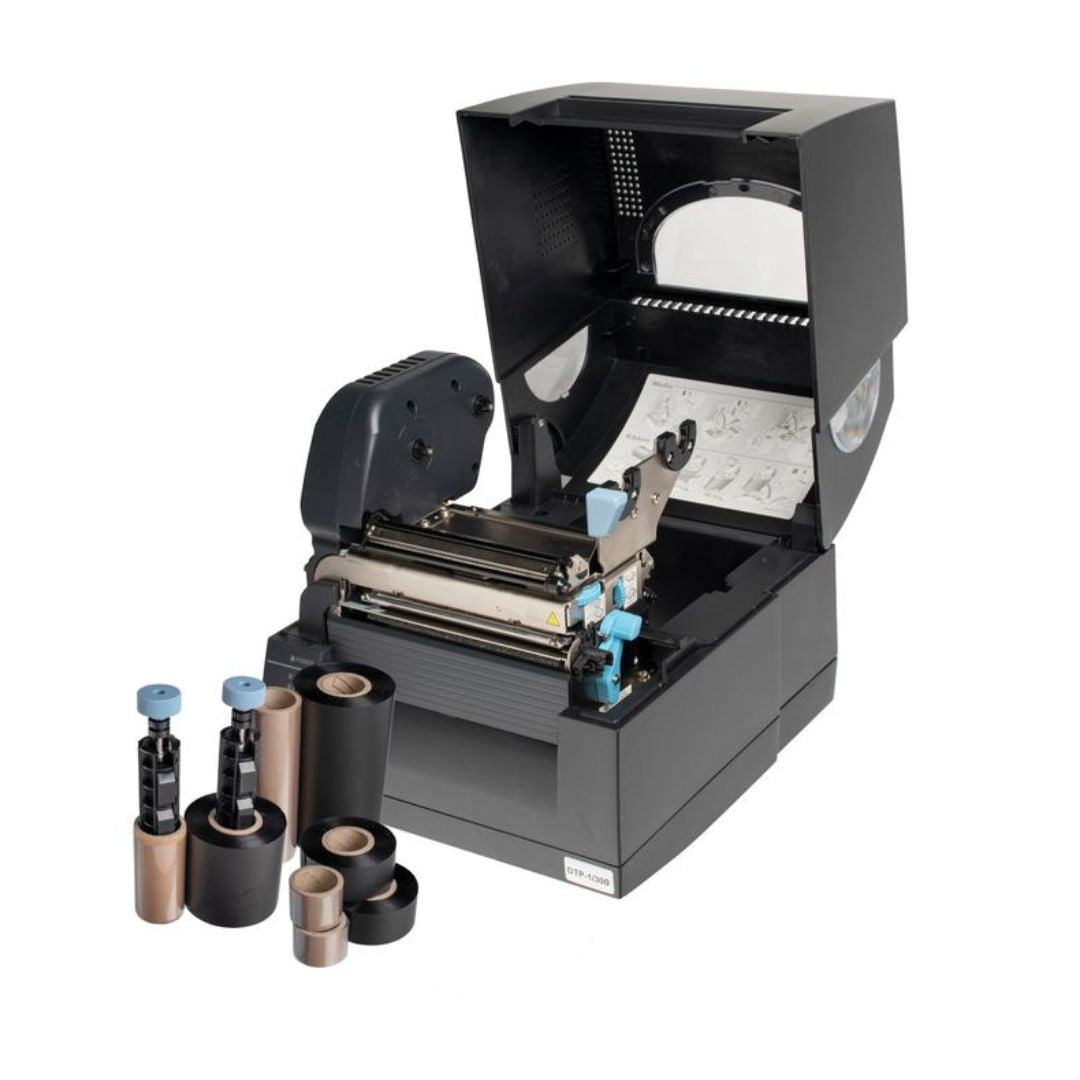
Many engineers assume that industrial printer labels require dedicated thermal transfer hardware. For organisations that label frequently and need the widest range of label types, a thermal system like the Fox-in-a-Box® is the right choice. But for lighter-touch labelling requirements, or for teams that need to produce batches of cable and equipment labels from the office before heading to site, laser printable labels offer a practical alternative with no capital outlay on printing equipment.
Silver Fox® manufactures a comprehensive range of laser printable labels, all supplied as pre-perforated A4 sheets that run through any ordinary office laser printer with its normal cartridge. This guide explains what laser printable labels are, walks through every label type in the range, and helps you decide whether laser or thermal printing suits your project.
1. The basics
What are laser printable labels?
Laser printable labels are identification labels supplied as pre-cut or pre-perforated A4 sheets. Each sheet is designed to feed through a standard office laser printer exactly like a sheet of paper. The printer fuses toner onto the label surface at high temperature, producing durable, smudge-resistant print without any additional equipment, ribbons, or specialist consumables.
The label materials are engineered for the printing process. Polyester labels have a special laser print receptive surface that bonds toner reliably. Polyethylene labels (used for self-laminating wrap-arounds) are constructed to minimise pre-delamination during the heat of the fusing process. Card labels for wiring blocks are produced from high-quality card stock rated for laser printing temperatures.
Once printed, labels are removed from the sheet by folding along pre-cut perforations and applied to the cable or equipment. The entire process, from opening the software to having labelled cables, takes minutes rather than hours. A single A4 sheet can produce anywhere from 24 to 504 labels depending on the label type and size selected.
2. The full range
Every laser printable label you can print with your office printer
The Silver Fox® laser range covers nine distinct label types. Each one is supplied as A4 sheets with templates built into Labacus Innovator® software. Here is what each type does and where it fits.
Prolab® P/TAG Equipment Labels
The workhorse of the laser range. Prolab® Equipment Labels are durable polyester labels with a strong acrylic adhesive, designed for equipment, data outlets, faceplates, control panels, and general asset identification. Sizes range from 11mm x 11mm up to 296mm x 29mm, with up to 504 labels per A4 sheet depending on the size selected. The finished printed labels have been independently tested to 85°C for 1,000 hours, and white labels have been tested for 3,000 hours of accelerated UV ageing.
Prolab® A4 and A5 Equipment Labels
For larger identification requirements, Prolab® A4 Equipment Labels and Prolab® A5 Equipment Labels provide full-sheet and half-sheet polyester labels. These are suitable for cabinet identification, large panel designations, mimic diagrams, or any application where a single large label is needed. The same durable polyester material and acrylic adhesive as the standard P/TAG range, with the same independent test performance.
Prolab® Self-Laminating Wrap-Around Cable Labels
Prolab® Laser Self-Laminating Wrap-Around Cable Labels are polyethylene labels that wrap around cables with a clear self-laminating tail that protects the printed text from abrasion, moisture, and handling. Available in both 25mm and 50mm widths, they incorporate a strong acrylic adhesive for long-term bonding. Typical applications include LANs, data centres, industrial Ethernet, and marine data cabling. With the Advanced or Professional level of Labacus Innovator® software and a colour laser printer, these labels can also be printed with resistor colour coding. For a broader look at cable label types and how to choose between them, see our complete guide.

Prolab® Laser Self-Laminating Wrap-Around Cable Labels: pre-perforated A4 sheets with clear self-laminating tail.
Legend™ Laser Tie-On Cable Labels
Legend™ Laser Tie-On Cable Labels are durable polyester labels that attach to cables using standard nylon or stainless-steel cable ties. They suit applications where adhesive labels are impractical: cables that are already terminated, surfaces that are contaminated, or environments that are too hot or cold for reliable adhesion. Available in three sizes (60mm, 90mm, and 90mm x 20mm), with 24 to 60 labels per sheet. Legend™ Laser Tie-On labels have also been shown to be resistant to Castrol ON dielectric cooling fluid, making them suitable for identification inside immersion-cooled data centres.

Legend™ Laser Tie-On Cable Labels: durable polyester, attached with standard cable ties.


Legend™ tie-on labels have undergone testing to meet LUL1-085 requirements for London Underground installations and have been shown to be resistant to Castrol ON dielectric cooling fluid.
How fast is laser label printing? The evidence
Silver Fox® commissioned a time trial study with the University of Hertfordshire to measure the real-world difference between laser-printed labels and traditional manual methods. The results for tie-on cable labels were striking: in 4 minutes and 26 seconds, an engineer produced 50 Legend™ Laser Tie-On labels using an ordinary office laser printer and Labacus Innovator® software. In the same time, the manual method - individual character markers pressed onto a cable bar for six-character identifications - produced just 4 labels.
That is a 12.5x speed advantage using nothing more than an office laser printer. On a project requiring 500 tie-on labels, laser printing completes the job in under 45 minutes. The manual method would take over 9 hours. Watch the time trial in action:


Time trial data from a study commissioned by Silver Fox® and conducted by the University of Hertfordshire.
For more on when tie-on labels are the right choice over adhesive alternatives, see our practical guide.
Prolab® Fibre Optic Flag Labels
Prolab® Laser Fibre Optic Flag Labels are polyester flag labels designed specifically for individual optical fibres. These self-adhesive labels wrap around the fibre with a flag section that remains visible, providing dual-sided print capability. Up to 75 labels per sheet. Fibre optic cables require careful handling during labelling to avoid damaging the fibres, and flag labels avoid the need for heat application near the cable.
Prolab® Patch Panel Labels
Prolab® Laser Patch Panel Labels are polyester strip labels designed for structured cabling environments. Supplied in pre-cut A4 sheets, they print up to 75 labels in approximately 20 seconds. Independently tested to 85°C for 1,000 hours and for salt mist spray according to Lloyds Register Type Approval System. For detailed guidance on naming conventions and strip printing workflows, see our guide to labelling patch panels and network infrastructure.
Legend™ Laser 2-Part System Cable Markers
The Legend™ Laser 2-Part System consists of a printed polyester label that slides into a separate clear plastic tube. The tube has two recesses: one for the label and one for the wire. The key benefit is that the wire identification can be changed even after termination without cutting the wire. The bottle-shaped label is designed to pull in and out of the tubing quickly. Available for cable diameters from 1.2mm to 14mm, with 75 labels per A4 sheet. Typical uses include substations, control rooms, and any application where identifications are likely to need frequent changes. The clear tubing is ordered separately.
Prolab® Patch Wiring Block Labels
Prolab® Patch Wiring Block Labels are non-adhesive card labels specifically designed for labelling Krone blocks and similar wiring/connector blocks. Made from high-quality card, they slide into the label slots on the block rather than being stuck down. Supplied as A4 sheets with 24 labels per sheet. Suitable for a range of wiring and connector blocks that require a card label insert.
Colour options across the laser range
- Most label types are available in white. Selected sizes are also available in yellow, blue, green, red, and orange.
- White labels can be colour-blocked using the Advanced or Professional level of Labacus Innovator® with a colour laser printer.
- Resistor colour coding is available on wrap-around labels using Advanced/Professional software with a colour laser printer.
3. Choosing your method
Laser vs thermal printable: which suits your project?
Both laser and thermal printing produce professional, durable labels. The choice depends on how you work, not which method is inherently better.
Laser printing
Use your existing office laser printer - or the one on site. No capital outlay on hardware. Ideal for batch printing before heading to site, or printing on demand using whatever laser printer is available at the location. Fluke Networks® LinkWare™ Live and AEM test data integration work with Labacus Innovator® across both laser and thermal workflows. Covers cable labels, equipment labels, patch panel labels, fibre flags, 2-part markers, and wiring blocks.
Thermal printing
The Fox-in-a-Box® thermal transfer system handles over 200 label variations including heatshrink, Fox-Flo® LSZH tie-ons, and raised profile labels that are not available in the laser range. Thermal transfer print is also more durable in extreme outdoor environments, and the system prints at up to 8 labels per second for high-volume continuous production.
Many organisations use both. Laser printable labels work well for batch printing in the office or on site - any location with a laser printer can produce labels on demand. The Fox-in-a-Box® system adds the ability to print heatshrink, LSZH, and raised profile labels that the laser range does not cover, and offers higher-speed continuous printing for large volumes. Both routes use the same Labacus Innovator® software, so designs, spreadsheet imports, and Fluke Networks® LinkWare™ Live or AEM test data workflows carry across seamlessly between laser and thermal printing.
When thermal is the better fit
- You need heatshrink markers, Fox-Flo® LSZH labels, or raised profile labels (thermal only).
- You need continuous high-speed output (8 labels per second on Fox-in-a-Box® vs batch sheet printing).
- You are working on a site with no access to a laser printer.
4. Getting started
Software, printer requirements, and ordering
Getting started with laser labelling takes three steps.
-
1
Download the software
Labacus Innovator® Lite is free of charge and includes templates for every label in the laser range. No purchase is necessary to start designing. The software also includes a free trial of the Advanced and Professional levels (3 days each) so you can test features like CSV import, custom fonts, barcodes, QR codes, and GS1® Data Matrix before deciding whether to upgrade.

Labacus Innovator® Professional level: full spreadsheet import, barcode and QR code generation, and template access for the entire laser label range.
-
2
Check your printer
Any standard office laser printer is compatible. System requirements for the software: Microsoft Windows® 8.1, 10, or 11 (32-bit or 64-bit), 1 GHz processor, 1 GB RAM, 200 MB disk space. No special printer drivers or cartridges are needed. The labels are designed to run through the printer exactly like a standard sheet of A4 paper.
-
3
Order your labels
Browse the full laser label range on silverfox.co.uk. Labels are supplied in packs of 10 or 100 A4 sheets depending on the product. If you are unsure which label type or size suits your application, the Silver Fox® sales team can advise and send samples.
Every customer printing with Labacus Innovator® receives free remote training to get up and running, ongoing remote support, and lifetime feature updates at no additional cost. For a deeper look at what the software can do and how it compares to generic alternatives, see our guide to label design software and key features to look for.
5. FAQ
Common questions about laser printable labels
Can I print industrial labels on my office laser printer?
Yes. The entire Silver Fox® laser range is designed to run through any standard office laser printer with its normal toner cartridge. No specialist printer, ribbon, or consumable is required. The label sheets feed through the printer like standard A4 paper.
Are laser printed labels waterproof?
Laser printed labels on polyester substrates are designed to resist moisture and have been tested for salt mist spray according to Lloyds Register Type Approval System. Self-laminating wrap-around labels add a clear protective tail over the printed area for additional protection. For environments with continuous outdoor UV exposure or extreme chemical contact, thermal printed labels on materials like Fox-Flo® may offer greater long-term resilience.
What is the difference between laser printable and thermal printable labels?
Laser printable labels are printed on A4 sheets using an office laser printer and standard toner. Thermal printable labels are printed on rolls using a dedicated thermal transfer printer (such as Fox-in-a-Box®) and a wax-resin ribbon. Both produce durable, professional labels. Laser suits batch printing from the office; thermal suits on-site, high-volume, or continuous printing workflows. Thermal transfer also covers additional label types including heatshrink, Fox-Flo® LSZH, and raised profile labels.
Do I need special software to print cable labels on a laser printer?
Labacus Innovator® Lite is available free of charge and includes templates for every label in the Silver Fox® laser range. The software handles layout, number sequences, and alignment automatically so that printed labels match the pre-cut perforations on the sheet. Higher software tiers add features such as spreadsheet import, barcode and QR code generation, and Fluke Networks® LinkWare™ Live integration.
Can I print barcodes and QR codes on laser labels?
Yes. Barcode, QR code, and GS1® Data Matrix generation is available through the Professional level of Labacus Innovator®. This applies across the full laser range, including printable asset tags, printable cable tags, patch panel labels, and equipment labels.
Next steps
Start printing labels today
Print industrial labels from your office printer
Download Labacus Innovator® Lite free of charge, browse the full laser label range, and print your first sheet of labels in minutes. No specialist hardware, no ribbons, no setup. If you need help choosing the right label type or size for your application, our team can advise and send samples.
Contact us at [email protected] or call +44 (0)1707 37 37 27.
References
Silver Fox Limited (2026). Legend™ Laser Tie-On Cable Labels: Time Trial Study. Commissioned by Silver Fox® and conducted by the University of Hertfordshire.